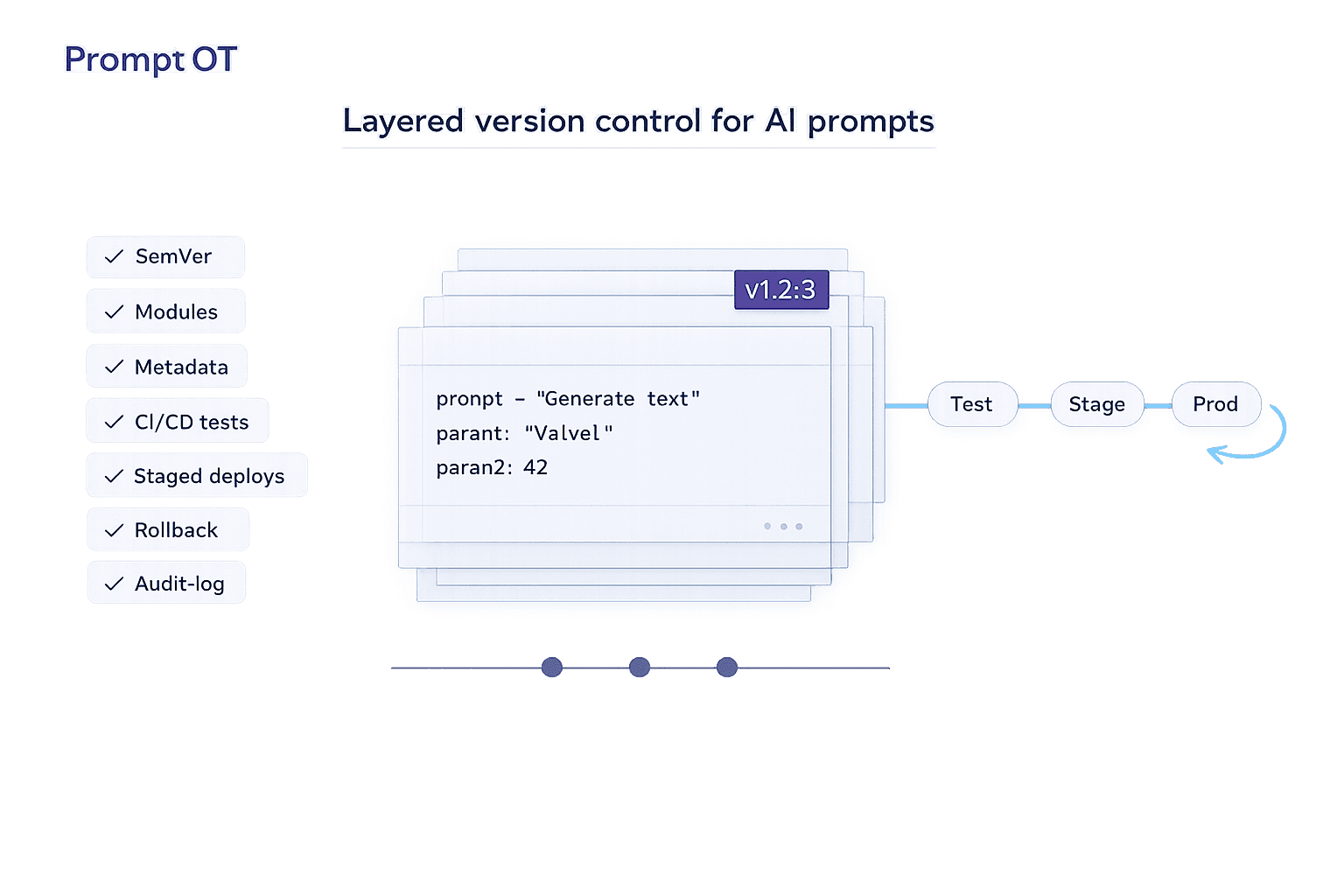
When managing AI prompts, treating them like production code can save you headaches. Small changes in prompts can drastically affect outputs, from tone to safety. Without version control, debugging and collaboration become chaotic. But with the right system, you can improve deployment speed by up to 70% and reduce rollbacks by threefold.
Here’s how to do it effectively:
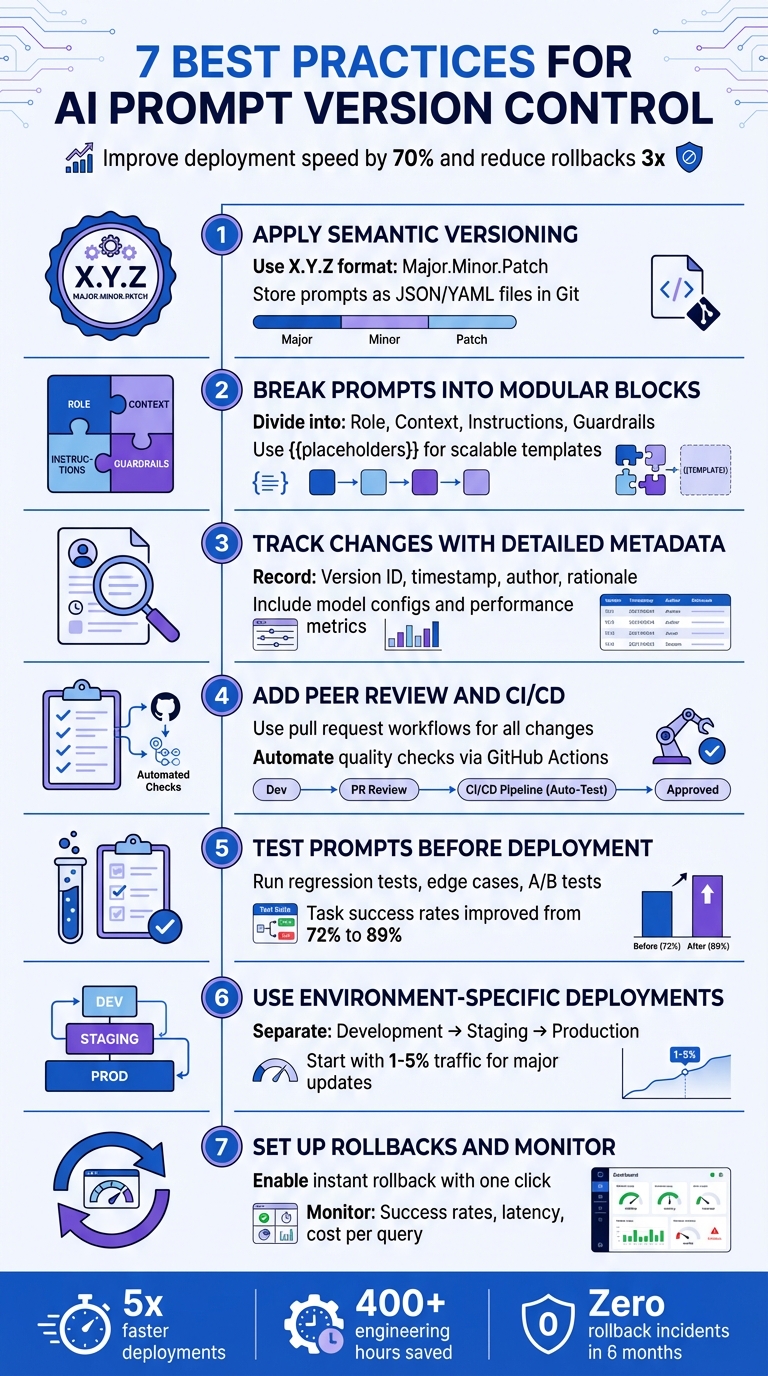
- Use Semantic Versioning: Track changes with a clear system like X.Y.Z for major, minor, and patch updates.
- Break Prompts into Blocks: Divide prompts into reusable parts (e.g., role, context, instructions) for clarity and flexibility.
- Track Metadata: Record every change, including version IDs, timestamps, and performance metrics, for transparency and troubleshooting.
- Add Peer Reviews and Testing: Treat prompts like code - review changes and test them in CI/CD pipelines to catch issues early.
- Test Before Deployment: Run regression tests, edge cases, and A/B tests to ensure quality across different scenarios.
- Environment-Specific Deployments: Separate prompts into development, staging, and production environments to minimize risks.
- Set Up Rollbacks and Monitoring: Use tools to instantly revert to stable versions and monitor real-time performance metrics.
7 Best Practices for AI Prompt Version Control
Prompt Versioning & Testing Strategies - Reliable LLM Development | Uplatz
sbb-itb-b6d32c9
Best Practice 1: Apply Semantic Versioning to Your Prompts
Semantic versioning, or SemVer, simplifies prompt management by using a three-part numbering system - X.Y.Z - to indicate the scope of changes. Here’s how it works: increase the major version (X) for breaking changes, the minor version (Y) for backward-compatible updates, and the patch version (Z) for small fixes. This structure helps communicate the nature of changes clearly and ensures a smoother workflow, especially in production environments.
"Prompt versioning applies software version control principles to prompt engineering workflows... teams implement systematic processes that record every prompt modification, preserve historical versions, and maintain clear associations between prompt versions and system behavior." - Maxim AI
Instead of embedding prompts directly into your application, store them as JSON or YAML files in Git. This approach treats prompts as configuration, allowing for side-by-side diffs, pull request reviews, and an immutable audit trail. Once a version is published (e.g., v1.0.2), any updates require a new version number, ensuring production behavior remains consistent and reproducible.
When releasing a new version, include metadata such as the target model (e.g., GPT-4o), temperature settings, author, and a brief note on the changes (e.g., "Improved error handling for user queries"). This documentation is crucial for troubleshooting and, in industries like finance or healthcare, can also fulfill compliance requirements.
Separating prompts from your application code also makes updates faster. For example, fixing a typo no longer requires running the entire CI/CD pipeline. Simply update the JSON file, increment the patch number, and deploy the updated prompt independently. This flexibility saves time and keeps your workflow efficient.
Best Practice 2: Break Prompts into Modular Blocks
After establishing systematic version control, breaking prompts into modular blocks adds another layer of clarity and efficiency. By dividing prompts into separate, reusable components - role, context, instructions, and guardrails - you can simplify updates and enable parallel work across teams.
Here’s a quick breakdown of these blocks:
- Role: Defines the AI's identity, such as "You are a senior financial analyst."
- Context: Provides background details, like user history or relevant documents.
- Instructions: Outlines the specific tasks step-by-step.
- Guardrails: Sets boundaries, including safety rules and formatting requirements.
Using placeholders (e.g., {{user_query}}) allows for scalable templates that adapt to various needs. This setup also supports chained prompts, where the output of one block feeds into another, making it easier to manage complex workflows.
Tools like PromptOT make this process even smoother by offering a visual, drag-and-drop interface. You can reorder blocks, integrate variables with {{placeholders}}, and maintain shared libraries for common elements like tone or safety guidelines. This flexibility empowers non-technical teams to update prompts without requiring a full code deployment, cutting down on redundancy and speeding up iterations.
Best Practice 3: Track Changes with Detailed Metadata
After organizing prompts into modular blocks, the next step is documenting every change with detailed metadata. This practice is essential for tracking prompt evolution, debugging issues, and understanding past decisions. Without it, reproducing results or analyzing mistakes becomes a guessing game.
Each prompt version should include key metadata fields. Start with a unique version ID, a semantic version number (like 2.1.3), and human-readable aliases such as "production" or "staging." Add details like who made the change, the exact timestamp (MM/DD/YYYY HH:MM), and a brief rationale behind the update. As Deepchecks wisely points out, "The 'why' is often what saves you during incident review". This level of documentation not only avoids repeating failed experiments but also streamlines root cause analysis and decision-making.
Technical configurations should also be recorded. This includes the specific model used (provider and version), hyperparameters like temperature and max tokens, and any tool definitions. For retrieval-augmented generation systems, note settings like top-k and chunk size. Without these details, recreating AI behavior becomes nearly impossible.
Performance metrics are where metadata really shines. By attaching data such as automated grader scores, win/loss rates against baselines, latency measurements, and cost per interaction, you can move beyond guesswork. Decisions about promoting prompts to production become data-driven. As Statsig aptly states, "Prompts are configuration, not folklore. A little structure goes a long way".
In regulated industries like finance or healthcare, detailed metadata serves as an immutable audit trail, proving compliance and due diligence. Even for non-regulated sectors, this approach helps isolate variables in unpredictable LLM outputs. Whether it's changes in prompt text, model updates, or parameter tweaks, having this context ensures clarity and control over quality shifts.
Best Practice 4: Add Peer Review and CI/CD to Your Prompt Workflow
Treat your prompts with the same care and precision as production code. This means using pull request workflows to review and approve changes before they go live. Not only does this create an audit trail, but it also prevents unexpected or untested updates from reaching production. As Jesse Sumrak from LaunchDarkly puts it: "You wouldn't push code straight to production without version control, testing, and proper deployment processes".
Automating quality checks through CI/CD pipelines ensures that prompt updates meet established standards. For instance, tools like GitHub Actions can automatically test new prompt versions with predefined test suites after every commit. By implementing quality gates, you can block changes if tests reveal regressions. Evidence-based best practices in prompt engineering have shown to improve output quality by 300–500%. These automated checks also foster better collaboration across teams.
Decoupling prompts from code enables smoother cross-functional teamwork. Product managers and domain experts can suggest changes through pull requests, while engineers maintain technical oversight. Kellie Maloney, Product Lead at Rise Science, highlights this benefit: "One thing we've really loved is just how Maxim helps us democratize the process of writing Prompts. So it empowers both our product... as well as our design teams to really own the process." This collaborative workflow enhances accountability and ensures prompt consistency across different environments.
To build on this, deploy prompts systematically through development, staging, and production environments. Use release labels or tags to anchor specific versions to each environment, ensuring only thoroughly tested prompts reach users. Lightweight checks on pull requests, combined with nightly integration tests, help maintain developer speed while upholding quality. This structured process has been shown to reduce iteration time by 70% while maintaining high standards.
Best Practice 5: Test Prompts Before Deployment
Before rolling out prompts, thorough testing is a must. A solid starting point is regression testing, which involves running new prompt versions against an established test suite. This helps catch issues where fixing one edge case might accidentally break something else. For instance, teams using a 15-test regression suite saw their task success rates jump from 72% to 89%.
This method ensures that each prompt change is evaluated across a variety of scenarios, building on earlier practices to cover diverse use cases.
Testing shouldn't stop at single-response checks. Instead, assess outcome slices across different user groups, intents, and content types. This gives you a clearer picture of how prompts perform in varied, real-world situations. Combine this with edge case validation, which focuses on known failure points, tricky inputs, and boundary conditions. This step is key to catching safety issues before they reach users.
Multi-model comparisons add another layer of insight. Since prompt performance can vary widely between model families, it's crucial to test prompts across different models. For reproducibility, pin your tests to specific dated model versions, like gpt-4-turbo-2025-11-12, rather than relying on generic aliases. You can also use LLM-as-a-judge methods, where a more advanced model evaluates the quality, tone, and accuracy of the outputs from your primary model. This is especially helpful for complex tasks where correctness isn't simply a yes-or-no question.
To avoid bias, build test datasets from fresh production samples. Since LLMs are non-deterministic, set tolerance bands instead of expecting identical results every time. Run multiple trials for each test case and define clear pass/fail thresholds. Automating these evaluations in your CI/CD pipeline ensures every prompt update gets tested whenever a relevant pull request is made.
Finally, validate new prompts with live traffic by deploying them to just 10% of users through A/B tests or canary rollouts. This approach allows you to monitor performance without risking widespread issues. One team reported a significant improvement with this method, reducing production rollbacks from three in two months to zero over six months, while also cutting operational costs by 20%.
Best Practice 6: Use Environment-Specific Deployments
Separating your prompts into development, staging, and production environments is a smart way to minimize risks when making updates. Each environment serves a specific purpose: development is for quick iterations, staging tests changes against production-like data, and production is reserved for stable versions with rollback options in place. These layers act as quality checkpoints, catching issues before they can impact real users. This setup also works hand-in-hand with other practices to ensure only thoroughly tested updates make it to production.
One major benefit is the separation of prompts from your application code. Instead of hardcoding prompts, you can retrieve them at runtime from a central registry. This allows for instant updates to behavior without requiring a full application redeployment. Use labels like @production, @staging, or @latest to direct your system to the correct prompt version. To prevent errors or unauthorized changes, restrict updates to production labels so only administrators can modify them.
"Decoupling prompts from application releases allows teams to update behavior safely without redeploying code." - Braintrust Team
When rolling out new prompts, take a gradual approach. For major updates, start small by routing 1–5% of traffic to the new prompt; for minor tweaks, increase that to 5–20%. Monitor how these changes perform before expanding further. This strategy works seamlessly with automated CI/CD pipelines and testing frameworks. Using feature flags and metric gates, you can control which user groups see the new prompts and enforce key performance standards - like accuracy, response time, and cost - before fully deploying to production. This method ties back to earlier discussions on the importance of rigorous testing and peer reviews, creating a dependable deployment process.
Another valuable technique is shadow traffic testing in staging. By replaying real production inputs to your candidate prompt “off-path,” you can evaluate outputs and safety metrics without exposing users to potential risks. This approach has proven highly effective. For example, one team reduced their monthly rollbacks from several incidents to zero within six months.
Finally, environment labels make rollbacks quick and easy. If something goes wrong, you can revert to a previous version with just one click. Combined with thorough testing in lower environments, this safety net ensures that environment-specific deployments are a reliable way to manage prompts at scale.
Best Practice 7: Set Up Rollbacks and Monitor After Deployment
Once you've implemented solid testing and deployment strategies, the next step is ensuring you can act quickly if something goes wrong. Even the most carefully tested prompts can fail in production. A tiny tweak - like changing a single word - can lead to hallucinations, disrupt output formatting, or cause unexpected latency spikes that staging environments might not catch. This is why having instant rollback capabilities is crucial. If issues arise, you need to restore service in seconds, not hours, and without redeploying your entire application.
One effective approach is to store prompts in a centralized registry and retrieve them at runtime using environment labels like @production or @staging. This setup allows you to revert to a stable version of a prompt with just one click. Pairing this system with automated rollback triggers - such as when task success rates drop below 70% - can make a huge difference. When combined with well-structured CI/CD workflows, this process can significantly reduce the frequency of rollback incidents, potentially bringing them down to zero each month.
Industry experts emphasize the importance of speed and accuracy in these situations:
"When prompt changes introduce production issues... teams must restore service quickly. Manual rollbacks without version control prove error-prone and slow."
– Maxim AI
Once you've deployed a prompt, real-time monitoring becomes your best friend. Keep an eye on metrics like task success rates, hallucination rates, output format compliance, p95 latency, and cost per query. User-facing indicators - such as drops in satisfaction scores or spikes in escalations - can also flag issues early. Setting up webhook notifications can help your team respond faster by alerting them to prompt modifications or performance dips. In some cases, these alerts can even trigger CI/CD pipelines automatically.
After a rollback, it's essential to verify that key metrics return to their normal levels. This ensures that the issue has been fully resolved. For industries like finance or healthcare, where compliance is critical, maintaining a permanent record of prompt versions and tracking who authorized changes is equally important.
How PromptOT Simplifies Prompt Version Control
PromptOT takes the hassle out of managing prompt versions by combining all essential practices into one cohesive platform. Instead of juggling Git repositories, spreadsheets, or custom scripts, you get a structured framework where prompts are built using modular blocks like role, context, instructions, guardrails, and output format. These blocks can be easily dragged, reordered, and reused across multiple prompts, streamlining the creation process. The platform not only handles versioning and testing but also makes deploying and rolling back changes far more manageable.
Every change you make automatically generates an immutable snapshot that includes the prompt text, model parameters, metadata, timestamps, and authorship details. This ensures a detailed history is always available, making debugging and compliance straightforward. You can review the full change history, compare versions side-by-side, and clearly see what was altered between deployments. If something goes wrong in production, you can instantly revert to a stable version without needing to redeploy code or endure delays.
PromptOT also simplifies environment-specific deployments with scoped API keys and enforces role-based access, so only authorized team members can edit, approve, or deploy prompts. Real-time webhook notifications with HMAC-signed payloads ensure your team stays updated on changes as they happen. Additionally, dynamic data can be seamlessly injected using runtime-resolved placeholders.
What sets PromptOT apart is its provider-neutral design. Whether you're working with OpenAI, Anthropic, Google, or another provider, your prompts remain compatible. With a single API call, you can retrieve compiled prompts, keeping your application code clean and separate from the prompt logic. This approach treats prompts as operational configurations rather than traditional software releases, making iterations faster and reducing deployment friction.
For teams scaling AI products, PromptOT eliminates the chaos of tracking versions in spreadsheets or managing scattered prompts. Everything - composition, versioning, testing, deployment, and rollback - is centralized, saving time and effort.
Conclusion
A structured version control system for AI prompts has become essential in modern workflows. The seven practices discussed earlier transform chaotic, on-the-fly edits into a disciplined, methodical process that minimizes risks and speeds up iterations.
By adopting these practices, teams can deploy AI systems up to five times faster while saving over 400 engineering hours. Additionally, structured prompt management has been shown to reduce rollbacks significantly, with incidents dropping to zero over six months. These results highlight how prompt management has evolved from simple text files to critical production assets.
"Prompts look like plain text, but in real systems, they behave more like code. A small wording change can affect tool use, safety behavior, output format, latency, and cost." – Deepchecks Glossary
This transition - from treating prompts as static strings to managing them as versioned, tested, and deployable artifacts - parallels the advancements in software engineering. Prompts now play a pivotal role in shaping user experiences and driving business outcomes, demanding the same level of precision and care as code.
To fully unlock the benefits of these practices, leveraging a unified platform is key. PromptOT simplifies the entire process, removing the hassle of managing Git repositories, spreadsheets, and custom scripts. With everything - composition, versioning, testing, deployment, and rollback - centralized in one place, teams can save time, reduce errors, and foster seamless cross-functional collaboration without hitting engineering roadblocks. For organizations scaling AI products, this streamlined approach is a game-changer.
FAQs
What counts as a major vs. minor vs. patch prompt change?
In prompt version control, updates are categorized into three types to maintain organization and ensure smooth collaboration:
- Major changes: These involve substantial updates that modify the core functionality, structure, or intent of a prompt. They represent a significant shift in how the prompt operates or what it aims to achieve.
- Minor changes: These focus on improving clarity or performance without altering the prompt's overall purpose. Examples include refining wording or adding illustrative examples to make the prompt more effective.
- Patch updates: These are small, quick fixes such as correcting typos, addressing minor errors, or fine-tuning instructions for better understanding.
This system helps teams manage updates efficiently while maintaining high standards and seamless teamwork.
What metadata should I store with each prompt version?
When managing different versions of AI prompts, it's essential to keep track of key metadata for better organization and reproducibility. Make sure to include:
- Version number: Clearly label each iteration.
- Commit message: Provide a brief description of changes made.
- Timestamps: Record when modifications occur.
Additionally, document the model or environment used, the author responsible, and the reason behind the changes. This approach helps maintain consistency, supports teamwork, and keeps a detailed record of the prompt's evolution.
How do I safely roll out and roll back prompt updates in production?
To ensure prompt updates are deployed and managed safely in production, it's crucial to use structured version control and staged deployment methods. Here's how you can do it effectively:
- Use semantic versioning: This provides a clear way to communicate updates and changes, making it easier to track improvements or fixes.
- Implement staged rollouts: Start by rolling out updates to a small percentage of users. This lets you monitor performance and catch issues early before reaching a wider audience.
- Maintain a detailed version history: This ensures every change is traceable, helping with troubleshooting and accountability.
- Have a rollback plan: Be prepared to quickly revert to a previous version if something goes wrong.
- Conduct thorough testing: Test updates extensively before deploying them to ensure they function as intended.
By following these steps, you can minimize risks and keep the update process smooth and controlled.