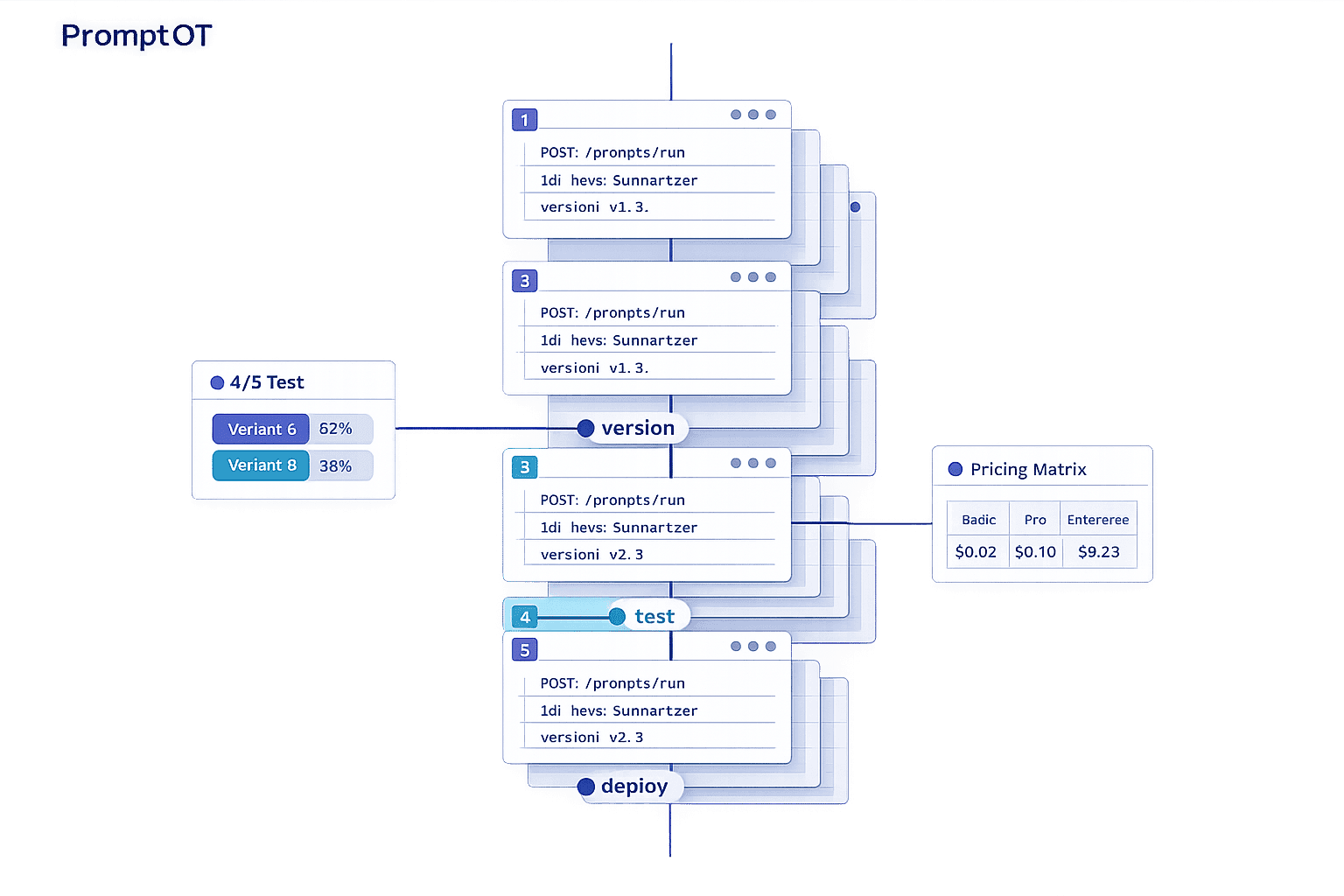
Managing AI prompts effectively is critical in 2026. With 75% of enterprises relying on generative AI, outdated methods like spreadsheets and hard-coded files are no longer sufficient. Dedicated tools streamline workflows, reduce errors, and save time for AI teams. This article reviews seven tools tailored for prompt management: PromptOT, Braintrust, PromptLayer, LangSmith, Vellum, Maxim AI, and open-source options like Agenta and Latitude. Each tool offers features like prompt versioning, collaboration, evaluation, and deployment, catering to teams of all sizes and technical expertise.
Here’s a quick summary of the tools:
- PromptOT: Modular prompt building with drag-and-drop blocks, role-based collaboration, and rollback features.
- Braintrust: Focuses on versioning and testing with CI/CD integration and real-time monitoring.
- PromptLayer: Middleware for separating prompts from code, enabling easy updates and collaboration.
- LangSmith: Designed for LangChain users, offering deep observability and evaluation tools.
- Vellum: Workflow orchestration with visual builders and multi-environment deployment.
- Maxim AI: Unified platform for faster AI agent deployment with advanced monitoring.
- Open-source options (Agenta, Latitude): Flexible, cost-effective solutions for teams needing self-hosting.
Key takeaway: The right tool depends on your team’s size, budget, and workflow needs. Whether you’re a solo developer or part of a large enterprise, these tools simplify prompt management, improve collaboration, and reduce production risks.
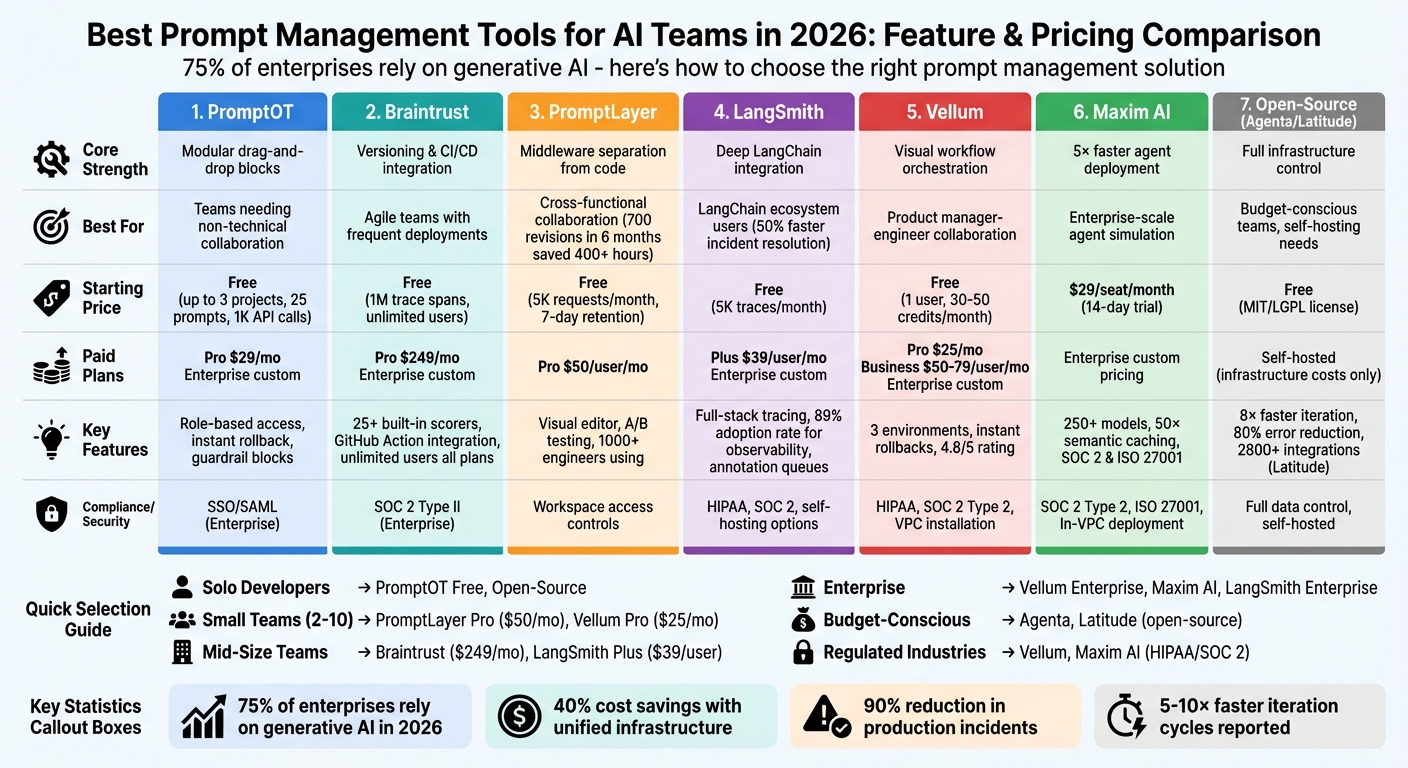
Comparison of 7 AI Prompt Management Tools: Features, Pricing, and Best Use Cases
Prompt Management 101 - Full Guide for AI Engineers
sbb-itb-b6d32c9
1. PromptOT
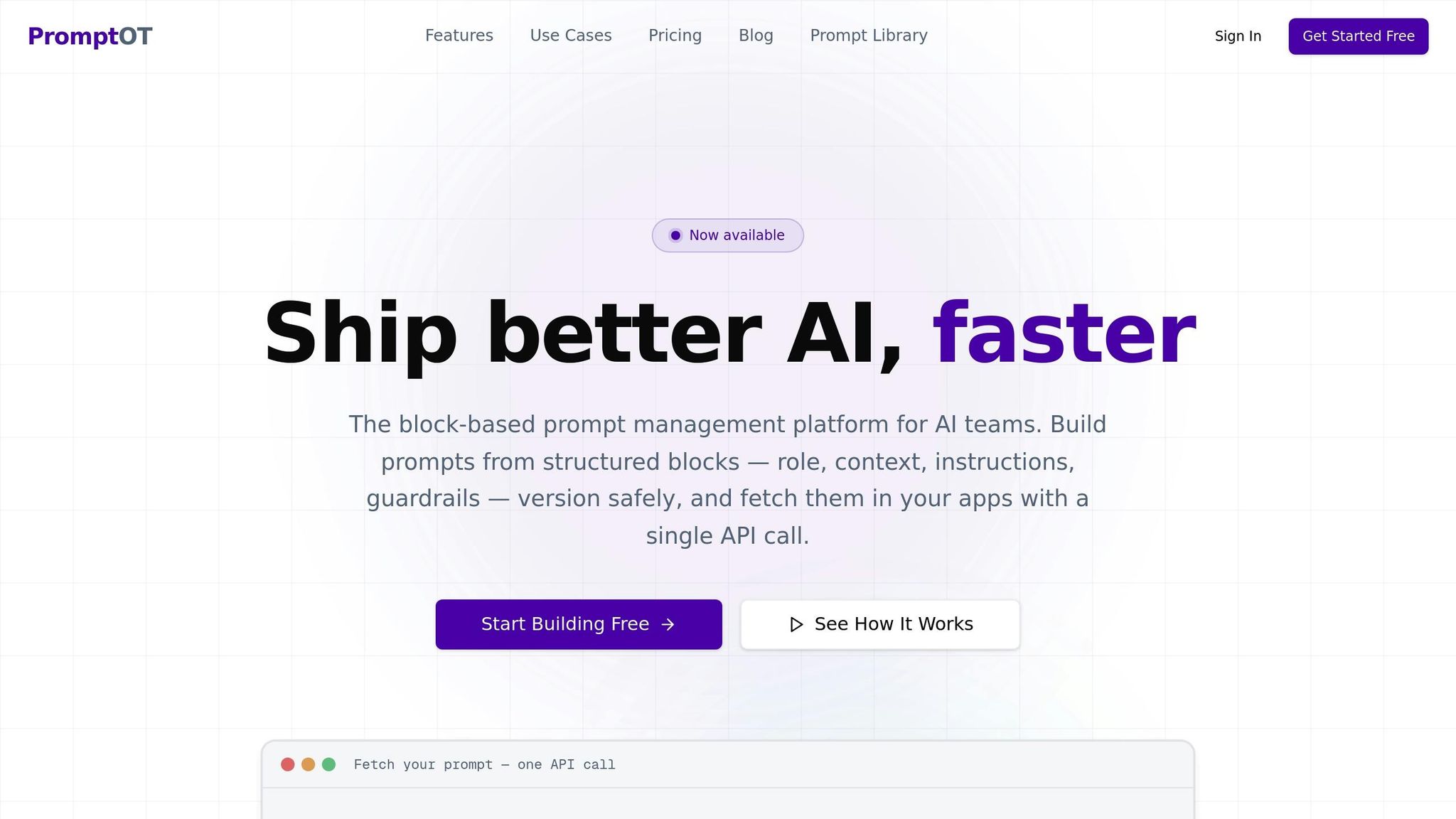
PromptOT takes a modular approach to prompt creation, allowing teams to build prompts using reusable, typed blocks like role, context, instructions, guardrails, and output format. Instead of managing long, unwieldy text files, users can simply drag, drop, and rearrange these blocks. Each block has clear draft and published states, making it easier for teams to collaborate and minimize mistakes. This structured system ensures even non-technical contributors can play an active role in prompt development. Below, we explore how PromptOT's lifecycle management, collaboration tools, and deployment features simplify prompt workflows.
Lifecycle Coverage
Using a visual composer, teams can experiment with prompts and even get AI-powered rewriting suggestions. A clear draft-to-published workflow supports versioning and instant rollbacks, so mistakes can be quickly undone. Dynamic content can be added at runtime using {{placeholders}}, and guardrail blocks ensure prompts stay aligned with predefined rules. To keep things organized, environment-specific API keys separate development and production, preventing untested prompts from going live. Deployment is streamlined into a single API call that compiles the modular blocks into a final prompt. This approach not only reduces errors but also provides a reliable framework for team collaboration and quick updates without requiring full redeployment.
Collaboration Features
PromptOT's role-based access control makes it easy for diverse teams - like product managers, legal advisors, and subject-matter experts - to refine prompts without relying on engineers. Team members can work together on drafts, review changes before publishing, and even receive webhook notifications for updates. This collaborative flow keeps everyone aligned and speeds up the prompt creation process.
Deployment & Monitoring
PromptOT works with all major LLM providers, including OpenAI, Anthropic, and Google, making it highly flexible. Compiled prompts are accessible via a single API endpoint, and webhook alerts paired with version history ensure quick rollbacks when needed. This compatibility and monitoring capability make managing prompts across different platforms seamless.
Pricing
PromptOT offers three pricing tiers to suit a range of users:
- Free Plan: Perfect for individuals or small projects, this plan costs $0 and includes up to 3 projects, 25 prompts per project, and 1,000 API calls per month.
- Pro Plan: At $29/month, this plan supports unlimited projects and prompts, 100,000 API calls per month, up to 10 team members, version history with rollback, and priority support.
- Enterprise Plan: Tailored for large-scale needs, this custom-priced option includes unlimited API calls, unlimited team members, SSO/SAML, audit logs, SLA guarantees, and dedicated support.
Whether you're a solo developer or part of a large enterprise, PromptOT's pricing and features are designed to accommodate a variety of use cases.
2. Braintrust
Braintrust approaches prompts as fixed, versioned objects with unique IDs, making tracking and rollbacks straightforward. Covering the entire process - from prototyping to production and live monitoring - it ensures seamless management. A standout feature is Loop, an AI assistant that empowers non-technical team members to refine prompts in plain language, auto-generate test datasets, fine-tune instructions, and sync UI updates with application code via the SDK. This setup enables a smooth, controlled deployment across multiple environments.
Lifecycle Coverage
Braintrust is designed to meet the demands of agile production management with its structured deployment pipeline. It supports a three-tier deployment process - development, staging, and production - ensuring prompts only move forward after meeting quality standards. Prompts are retrieved from a central registry at runtime, allowing teams to make updates or rollbacks instantly without modifying application code. This decoupled system lets developers reference prompt slugs in their code while product managers handle updates and deployments independently.
Evaluation & Testing
The platform includes over 25 built-in scorers, leveraging deterministic checks, semantic similarity, and LLM-as-a-judge techniques to evaluate accuracy and safety. A GitHub Action integrates directly into workflows, running evaluations on every pull request and blocking merges that don't meet quality standards, preventing regressions. For instance, in 2025, Notion increased their AI issue detection from 3 to 30 issues per day by adopting Braintrust’s evaluation and versioning tools. The integrated playground allows side-by-side model comparisons and testing using actual production data. Additionally, low-performing production queries can be added back to evaluation datasets with just one click.
Deployment & Monitoring
Braintrust extends its rigorous evaluation processes into real-time monitoring, applying the same scorers used during development. Dashboards provide insights into quality, latency, and cost metrics. The platform’s Bifrost proxy integrates with providers like OpenAI, Anthropic, and AWS Bedrock, simplifying model switching. Role-based access control ensures strict permissions for viewing, editing, and deploying prompts, helping maintain production stability. Top AI teams, including Stripe, Zapier, Instacart, Vercel, and Airtable, trust Braintrust to manage prompts and enforce quality controls.
Pricing
Braintrust offers three pricing tiers tailored to different needs:
- Free Plan: $0/month, includes 1 million trace spans, 10,000 evaluation scores per month, 14-day data retention, and unlimited users.
- Pro Plan: $249/month, includes unlimited trace spans, 50,000 evaluation scores, and 1-month data retention.
- Enterprise Plan: Custom pricing with premium features like self-hosting or hybrid options, SOC 2 Type II compliance, and high-volume data support.
Unlike competitors with per-seat pricing, Braintrust allows unlimited users on all plans, ensuring team growth doesn’t lead to higher costs.
3. PromptLayer
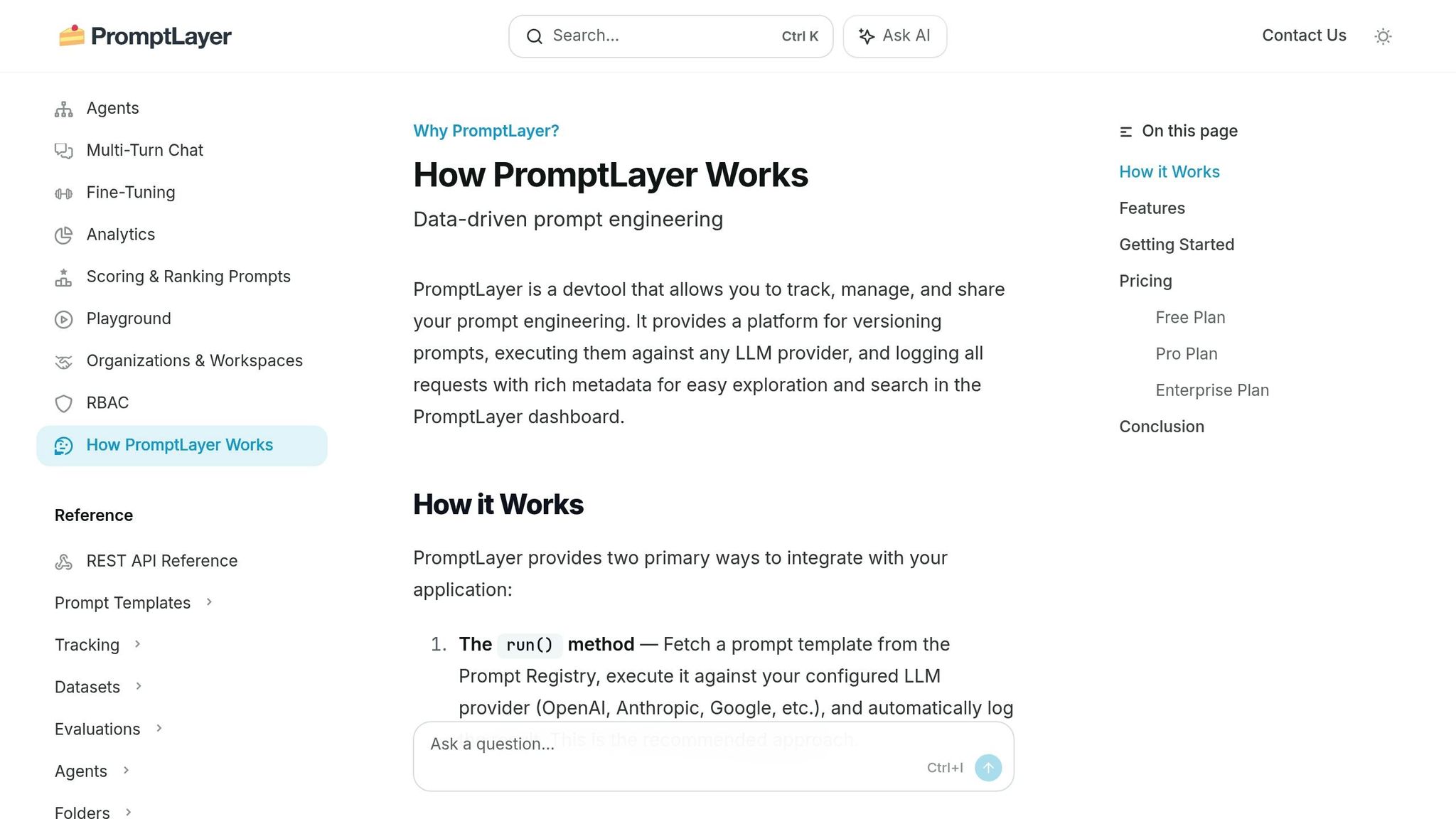
PromptLayer acts as a content management system that separates prompts from application code. It works as middleware between your app and LLM providers, logging every request, response, and metadata. Using a REST API or SDK, teams can fetch prompts during runtime, allowing updates without redeploying code. This approach reduces engineering bottlenecks and enables specialists like lawyers, marketers, and content creators to refine prompt quality directly.
Lifecycle Coverage
PromptLayer supports the entire process, from creating prompts to monitoring them in production. Its Prompt Registry organizes prompts into folders and reusable snippets, complete with versioning tools like visual diffs and commit messages. Teams can lock specific versions for production while continuing development on separate branches. The Agents builder further simplifies the process with a drag-and-drop interface for creating multi-step AI workflows, including conditional logic. This modular setup makes it easier to move away from single, bulky prompts toward more flexible orchestration.
Collaboration Features
With its Visual Editor, non-technical team members can create and tweak prompts without needing to code. For example, ParentLab's content team made 700 prompt revisions in just six months, saving over 400 hours of engineering time. Similarly, Seung Jae Cha, AI Product Lead at Speak, used PromptLayer to condense months of curriculum development into a single week, enabling content teams to independently iterate and expand into 10 new markets. The platform also includes features like version commenting, descriptive notes, and workspace access controls, ensuring a clear distinction between production and development environments. These tools make collaboration smoother and set the stage for thorough testing.
Evaluation & Testing
PromptLayer's robust lifecycle and collaboration tools extend to evaluation and testing. Features like A/B testing, regression tests, and historical backtests allow teams to refine their prompts systematically. For instance, Gorgias used the platform to conduct over 1,000 prompt iterations and generate more than 500 evaluation reports in just five months.
"We iterate on prompts 10s of times every single day. It would be impossible to do this in a SAFE way without PromptLayer." - Victor Duprez, Director of Engineering
The platform also includes model-based assertions, enabling teams to score outputs using custom rubrics for more precise evaluations.
Deployment & Monitoring
PromptLayer makes deployment and monitoring straightforward with real-time insights into latency, token usage, and costs. Its detailed logs allow quick troubleshooting and efficient identification of specific user execution logs.
"The information density means my time to being productive is really really good." - Nick Bradford, Founder & CTO of Ellipsis
Release labels ensure only approved versions are deployed to production while others stay in staging, ensuring smooth and safe rollouts. Today, over 1,000 engineers rely on PromptLayer for versioning and API monitoring.
Pricing
| Plan | Price | Features |
|---|---|---|
| Hacker (Free) | $0 | Up to 5,000 requests/month, 7 days log retention, limited evaluations |
| Pro | $50/user/month | Up to 100,000 requests/month, unlimited log retention, full evaluation access, and agentic workflows |
4. LangSmith
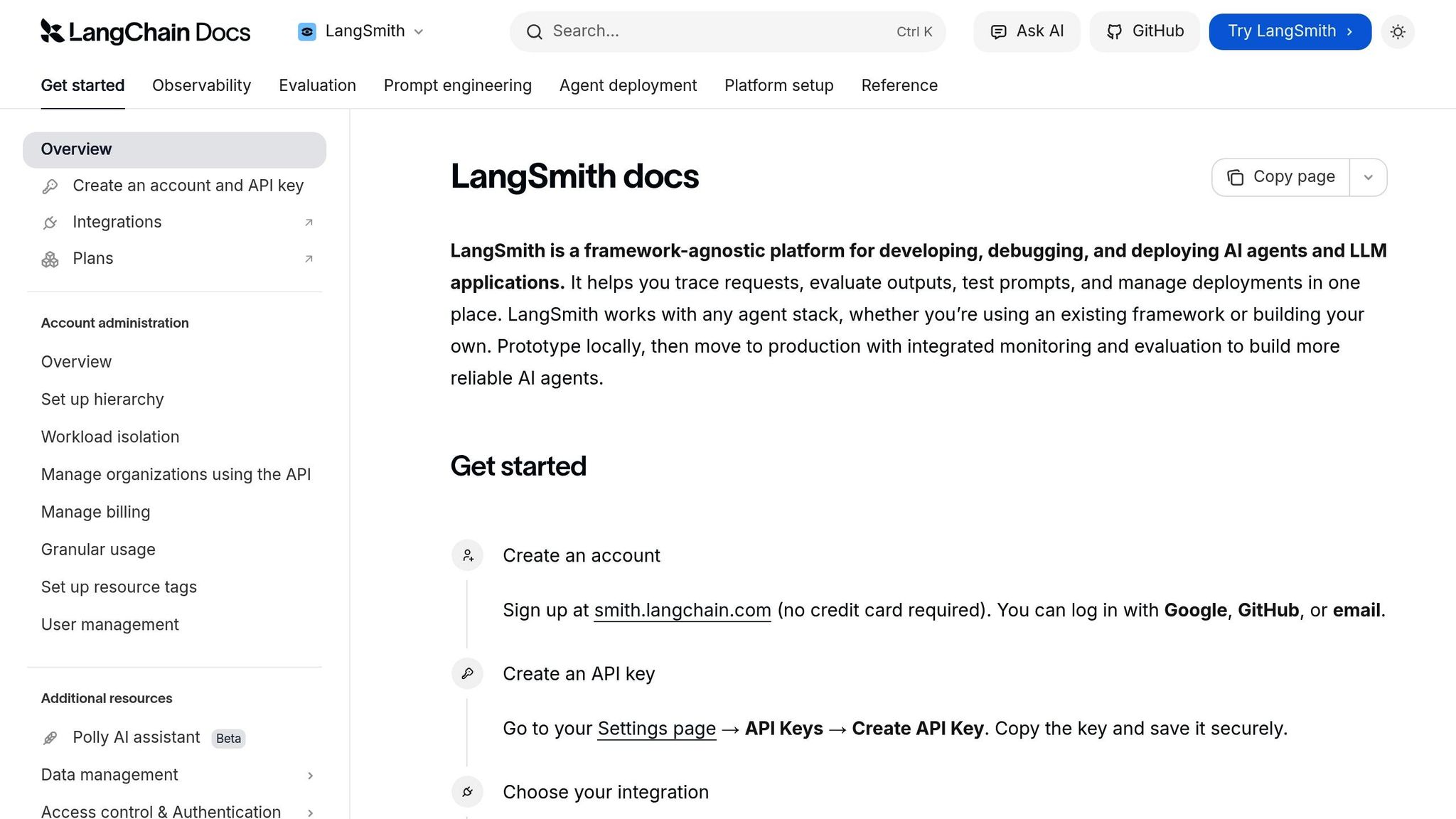
LangSmith stands out among prompt management tools thanks to its integration with popular frameworks and its focus on traceability. It brings together observability, evaluation, and deployment for teams using LangChain and LangGraph. While it works with various agent stacks like OpenAI, Anthropic, and Vercel AI SDK, its seamless compatibility with LangChain makes it a natural fit for teams already relying on that ecosystem.
Lifecycle Coverage
LangSmith supports the entire process, from local development to production monitoring. Teams can prototype in the Prompt Playground, test across multiple models, and then centralize everything in the Prompt Hub. Using Commit Tags (e.g., prod, staging), LangSmith allows prompt updates in production without requiring code changes.
The platform’s full-stack tracing captures all agent activity, including LLM calls, tool usage, inputs, outputs, token counts, and latency. This level of detail is crucial as observability has evolved into an essential tool for managing costs and identifying issues. By 2026, 89% of organizations had adopted some form of observability for their AI agents, with the number climbing to 94% among those with agents in production. LangSmith’s lifecycle management also supports collaborative prompt development.
Collaboration Features
LangSmith’s Workspaces enable teams to organize prompts, datasets, and traces by project, department, or environment. Role-based access ensures sensitive data is protected while giving team members the access they need. The Prompt Hub acts as a central repository where teams can collaboratively build, test, and version prompts. Each update generates a unique commit hash, and Prompt Diffing lets teams compare versions side-by-side before making changes live.
With Annotation Queues, QA teams and subject matter experts can review and rate LLM outputs without slowing down the workflow. Engineering leaders have noted that LangSmith can reduce incident resolution times by up to 50%, and companies using unified observability platforms report a 25–50% improvement in resolving LLM errors.
Evaluation & Testing
LangSmith goes beyond collaboration by offering rigorous testing and evaluation tools. It supports offline tests with golden datasets and real-time online evaluations using automated judges to measure quality, safety, and compliance. By 2026, 37.3% of organizations were using online evaluations to monitor their agents’ real-world performance.
In late 2025, monday.com used LangSmith to implement an "evals-driven development framework" for its monday Service AI agents. Under the leadership of Group Tech Lead Gal Ben Arieh, they achieved an 8.7x faster evaluation feedback loop - cutting the time from 162 seconds to just 18 seconds - by parallelizing tests with LangSmith’s Vitest integration.
"Traces - not code - provide the only record of what your agent did and why. LangSmith turns your trace data into fuel for agent improvement." - LangChain Platform Overview
The Insights Agent uses automated clustering to analyze production traces, helping teams uncover patterns, identify errors like incorrect tool selection, and address unexpected edge cases.
Deployment & Monitoring
LangSmith provides three deployment options: fully-managed SaaS, hybrid (where data remains in your VPC), and fully self-hosted on Google Kubernetes Engine. Its execution engine includes automatic checkpointing, making it easy to retry, replay, or resume long-running agents. Real-time dashboards monitor latency, token usage, and costs across all agents.
Unlike standard application monitoring tools that focus on metrics like latency or HTTP status codes, LangSmith tracks natural language inputs, outputs, and decision paths - data traditional tools can’t capture.
"This infinite input space means you cannot fully predict how your agent will be used until real users start interacting with it." - LangChain Blog
Pricing
| Plan | Price | Features |
|---|---|---|
| Free Tier | $0 | 5,000 traces/month for development and small-scale production |
| Plus Plan | $39/user/month | Increased trace limits, full evaluation access |
| Enterprise | Custom pricing | Self-hosting, BYOC, HIPAA/SOC 2 compliance, up to 10 workspaces (more available on request) |
5. Vellum
Vellum simplifies workflow orchestration by allowing teams to describe their needs using natural language or voice commands. Its Agent Builder then automatically generates prompts, tool orchestrations, and guardrails, making it easier to create AI-driven workflows without complex manual setups. Let’s dive into how Vellum handles lifecycle management, collaboration, evaluation, deployment, and pricing.
Lifecycle Coverage
Vellum supports the entire AI lifecycle with isolated environments - Development, Staging, and Production - and a Workflow Sandbox featuring three modes: Edit, Run, and Code. Teams can test workflows instantly using Mocking Nodes, which simulate API data from tools like Slack or HubSpot, bypassing the need to wait for live integrations. If an issue arises in production, the Instant Rollbacks feature allows users to revert to a previous version with a single click - no coding required. This design helps teams save time and avoid unnecessary complexity.
Collaboration Features
Collaboration is at the heart of Vellum. Its shared canvas lets product managers, engineers, and operations teams co-design workflows in a visual graph builder that syncs with a code-first SDK (TypeScript/Python). Teams can comment directly on workflow nodes, review visual version changes, and enforce approval gates before deploying updates. With Role-Based Access Control (RBAC), users can manage permissions effectively, while features like starring workflows for quick access and sharing agent logic across the organization improve efficiency.
"AI transformation is an organizational shift, not a tool install." - Vellum
Evaluation & Testing
Vellum makes evaluation straightforward with tools for side-by-side comparisons of prompts and models, bulk execution with rate-limit safeguards, and custom metrics written in Python or TypeScript. Online evaluations score a portion of live production traffic against quality rubrics, helping teams catch regressions in real time. This is crucial, as organizations without robust evaluation processes face regression rates three times higher than those with proper frameworks.
Deployment & Monitoring
Vellum allows simultaneous deployment across multiple environments, supported by API-based deployment and detailed execution logs. Its monitoring dashboard tracks environment-specific metrics, such as execution logs and cost per run, and integrates seamlessly with external tools like Datadog. Separate API keys for each environment ensure proper isolation and audit trails.
Pricing
| Plan | Price | Key Features |
|---|---|---|
| Free | $0/month | 1 user, 30–50 credits/month, 1 concurrent workflow run, 7–30 days data retention |
| Pro | $25/month | 1 user, 100–200 credits/month, 3–4 concurrent runs, 30–90 days data retention, multiple environments |
| Business | $50–$79/user/month | Up to 5 users, 500 credits/month, 10–12 concurrent runs, up to 1 year data retention, multiple workspaces |
| Enterprise | Custom | Unlimited credits, custom workflow server size, RBAC, SSO, VPC installation, dedicated Slack support |
Vellum’s pricing model is credit-based, meaning credits are only used when creating, modifying, or reasoning about agents - running deployed workflows doesn’t incur additional costs. With a 4.8/5 rating on AWS Marketplace and G2 from 12 reviews, users highlight its "efficient low-code workflow builder" and swift transition from prototype to production.
6. Maxim AI
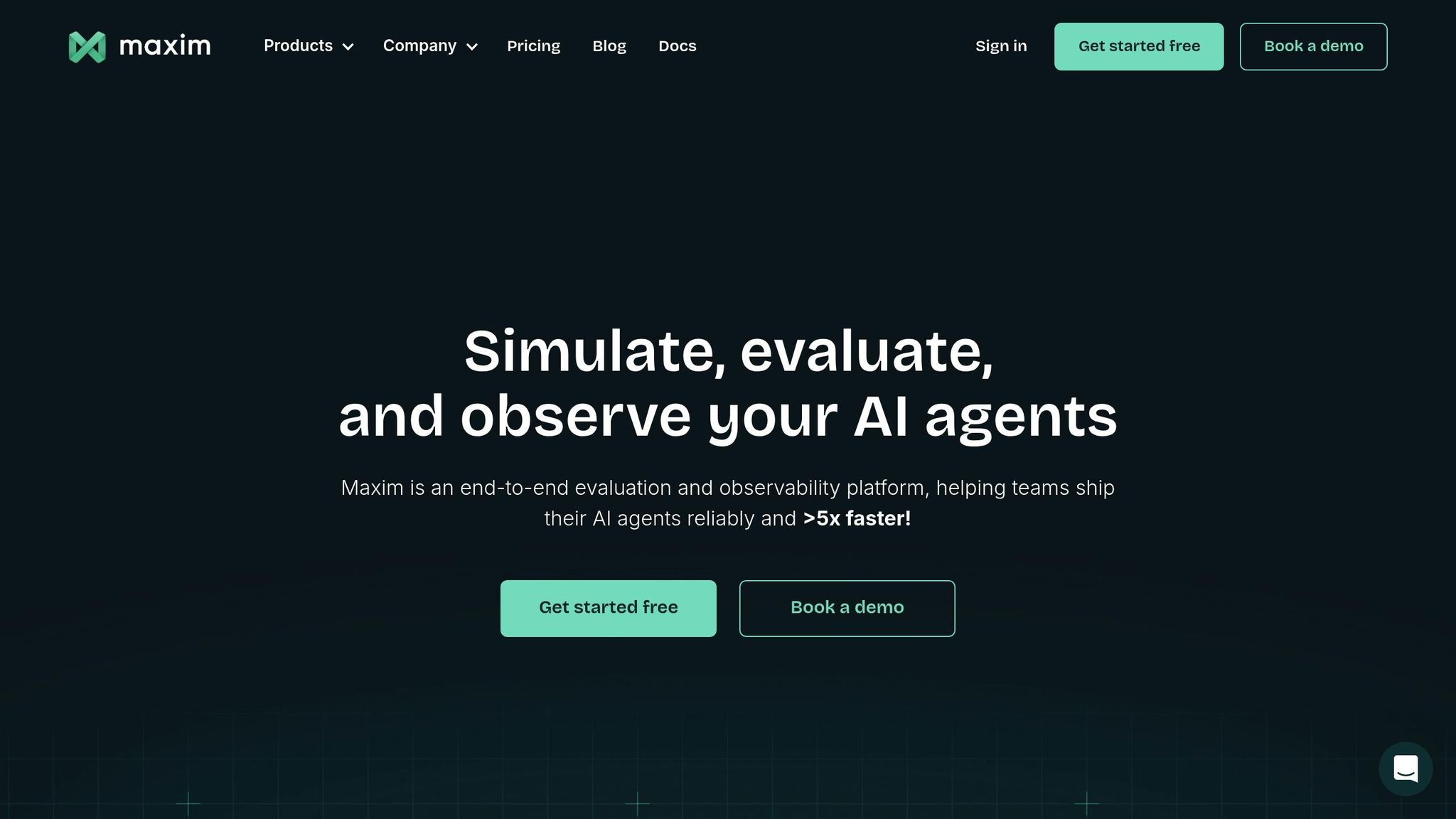
Maxim AI provides a unified platform designed to simplify and speed up the development of AI agents, from initial experiments to full-scale production. By separating prompts from application code, this platform allows engineers, product managers, and domain experts to work simultaneously without bottlenecks. Organizations using Maxim AI report deploying AI agents up to 5× faster thanks to its streamlined approach to prompt versioning and deployment. It combines tools for development, collaboration, and production monitoring into one cohesive system.
Lifecycle Coverage
Maxim AI supports the entire development process with four key components: Playground++ for experimentation, an Agent Simulation Suite for testing multi-turn interactions, an Evaluation Framework, and distributed tracing for monitoring in production. These tools help teams identify edge cases early, and if issues arise, simulations can be re-run from any step to pinpoint and resolve problems.
Collaboration Features
Maxim AI makes collaboration seamless, even for non-technical team members. Its no-code interface allows stakeholders to refine prompts on their own. Kellie (Kuzmuk) Maloney, Product Lead at Rise Science, highlighted this benefit:
"One thing we've really loved is just how Maxim helps us democratize the process of writing Prompts. So it empowers both our product... as well as our design teams to really own the process."
The platform also offers Git-style Prompt Diff for side-by-side comparisons, session sharing for collaborative reviews, and secure features like role-based access control and Single Sign-On to ensure smooth teamwork.
Evaluation & Testing
Maxim AI’s Evaluator Store comes with pre-built metrics for detecting hallucinations, assessing accuracy, and ensuring safety. It also supports custom evaluators through approaches like LLM-as-a-judge, programmatic methods, or statistical analysis. For added flexibility, human-in-the-loop workflows are supported with annotation queues, enabling experts to review agent outputs. Evaluations can be performed at multiple levels, from individual responses to entire sessions, while the Data Engine continuously enhances test datasets by importing logs from production.
Deployment & Monitoring
The Bifrost Gateway simplifies deployment with features like one-click A/B testing, canary rollouts, and automatic failover across 250+ models from leading providers. Its semantic caching can boost performance by up to 50×. Real-time distributed tracing ensures quality, cost, and latency are monitored effectively, with automated alerts integrated into tools like Slack and PagerDuty. Maxim AI also meets stringent security standards, being SOC 2 Type 2 and ISO 27001 certified, and offers In-VPC deployment for industries requiring higher levels of compliance.
Pricing
Maxim AI provides a 14-day free trial for new users. The Pro Plan starts at $29 per seat per month, while Enterprise pricing is customized based on factors like team size, usage, and deployment needs (e.g., In-VPC installations). SDKs are available in Python, TypeScript, Java, and Go, making integration straightforward for developers.
7. Open-Source Options (Agenta, Latitude)
If your team prioritizes control over infrastructure and aims to optimize costs, Agenta and Latitude are two open-source platforms worth considering. Agenta operates under the MIT license, granting flexibility for commercial use without copyleft restrictions. On the other hand, Latitude uses the LGPL-3.0 license and focuses on AI agent development. Both platforms emphasize structured workflows, featuring Git-like versioning systems and CI/CD-friendly processes to manage prompts efficiently.
Lifecycle Coverage
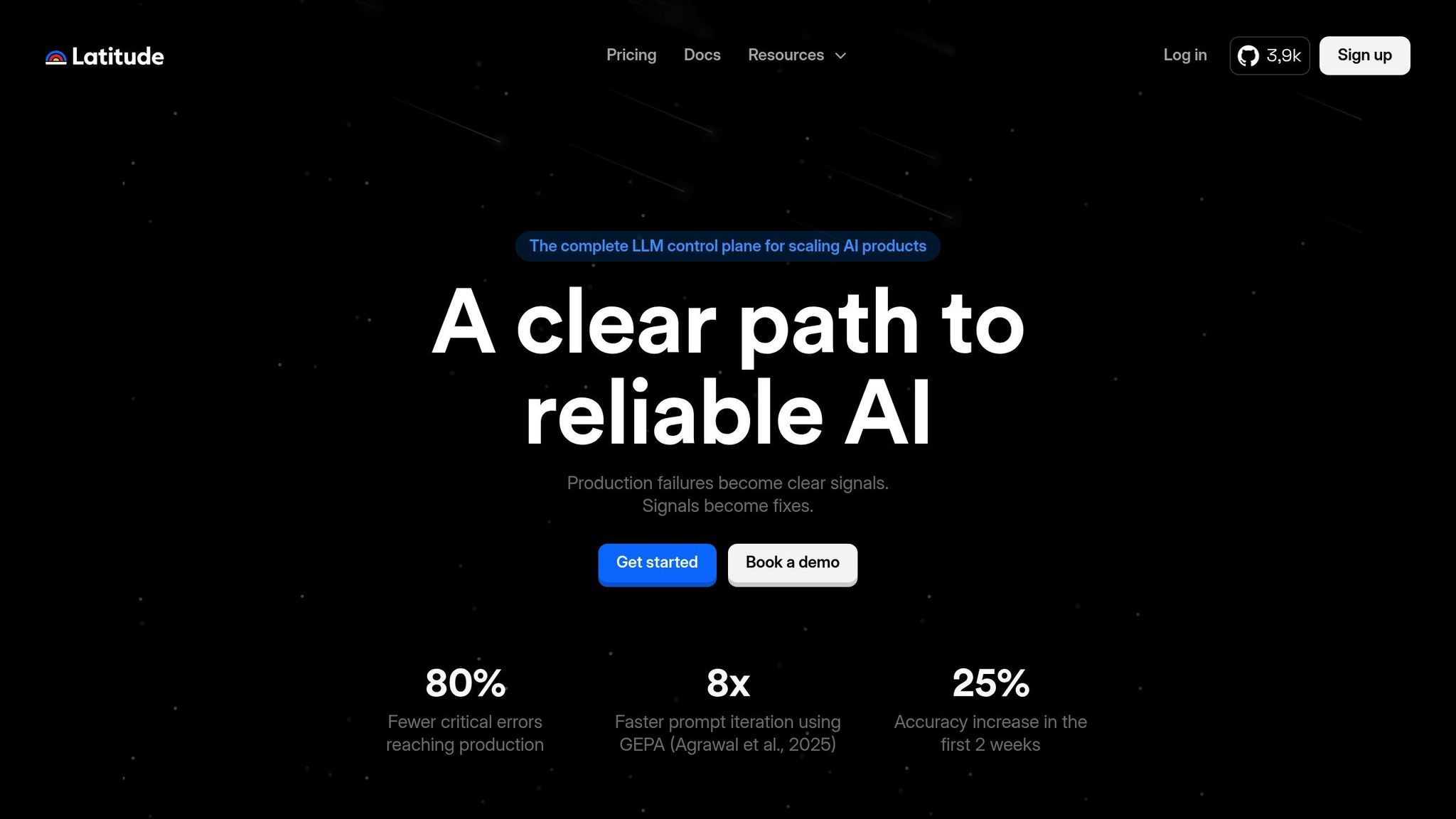
Agenta offers a comprehensive solution for managing LLM operations, combining prompt management, evaluation, and production monitoring in a single platform. Its Git-like versioning allows teams to experiment with different prompt variations while keeping live systems stable. Latitude follows a similar end-to-end approach with its "Reliability Loop", which covers all stages: design (Prompt Manager), testing (Playground), deployment (API Gateway), tracing (Telemetry), and evaluation. One standout feature of Latitude is the GEPA optimizer (Agrawal et al., 2025), which evaluates prompt variations against real-world scenarios to minimize errors. According to users, this feature has led to 8× faster prompt iteration and an 80% reduction in critical errors during production.
Collaboration Features
Both platforms excel in fostering teamwork. Agenta provides a user-friendly interface that enables non-technical team members, such as product managers and domain experts, to edit prompts and conduct evaluations without writing code. Pablo Tonutti, Founder of JobWinner, shared his experience:
"Tuning prompts used to be slow and full of trial-and-error… until we found Latitude. Now we test, compare, and improve variations in minutes with clear metrics and recommendations."
Latitude takes collaboration a step further with shared workspaces and real-time tools. It also integrates with over 2,800 applications and services, making it easier to connect AI agents to external data sources. Additionally, its AI assistant, "Latte", automates repetitive prompt tasks and supports no-code agent creation, streamlining workflows for teams.
Evaluation & Testing
Agenta simplifies evaluation with built-in tools for automatic, human, and online assessments, all accessible through a user-friendly interface that encourages input from subject matter experts. Latitude’s "Reliability Loop" integrates observability, error analysis, human annotations, and automated evaluations to optimize prompt performance. Teams using Latitude have reported a 25% improvement in accuracy within the first two weeks of adoption. Both platforms also support batch testing, enabling performance analysis on large datasets.
Deployment & Monitoring
When it comes to deployment, Agenta ensures secure, environment-based rollouts, while Latitude focuses on observability by capturing live traffic data to identify potential failure patterns. Both platforms offer self-hosting options, giving enterprises full control over their data and infrastructure. Latitude provides two deployment models: Latitude Cloud, a managed solution, and Latitude Self-Hosted, an open-source option for complete control. These deployment capabilities make both platforms strong choices for organizations seeking to manage prompts effectively while maintaining secure and streamlined workflows.
Pros and Cons
Picking the right prompt management tool hinges on your team's size, technical know-how, and workflow preferences. Here's a breakdown of some popular options:
- Braintrust: Ideal for teams shipping updates frequently, it offers features like CI/CD quality gates to block merges on regressions and a "production-to-eval" pipeline that converts traces into test cases with just one click. The free tier includes 1 million spans and unlimited users, but self-hosting is restricted to Enterprise plans.
- LangSmith: Perfect for teams already in the LangChain ecosystem, it provides deep tracing for multi-step autonomous agents. However, costs increase with team size, with the Plus plan priced at $39 per user/month. For teams outside LangChain, it may feel overly complicated.
- PromptLayer: Known for simplifying cross-functional collaboration, it allows code-free prompt updates via a visual interface. With a 4.8/5 rating on TrueReview, it’s praised for bridging the gap between technical and non-technical stakeholders. However, its proxy-based architecture can introduce minor latency.
- Vellum: Designed for product manager–engineer collaboration, it features a visual, low-code workflow builder that enables prompt updates without redeployment. It’s especially suitable for regulated industries due to its HIPAA and SOC 2 Type 2 compliance. However, its higher price point may deter smaller startups.
- Maxim AI: Focused on enterprise-grade agent simulation, it supports hundreds of personas with pre-built evaluators for safety and relevance. While powerful, it comes with a steep learning curve and enterprise-level pricing.
For budget-conscious teams, open-source options like Agenta and Latitude provide flexible deployment, including self-hosting for full infrastructure control.
Beyond individual tool features, systematic evaluation is reshaping prompt management practices. As noted by the Braintrust team, their platform "turns evaluation results into a release requirement instead of a dashboard metric". Organizations adopting unified infrastructure have reported up to 40% cost savings and a 90% reduction in prompt-related production incidents.
Different tools cater to different team needs. Small teams and solo developers might find open-source solutions like Promptfoo (rated 4.9/5 on TrueReview) or Helicone appealing for professional-grade testing and logging without licensing fees. Mid-sized teams often benefit from tools that balance usability with developer control. For enterprises needing governance and advanced audit logs, options like Maxim AI and Vellum stand out, especially for those requiring self-hosting to meet data residency requirements.
Conclusion
The analysis above lays out the strengths of various prompt management tools, catering to teams of all sizes and needs.
When selecting a tool, consider your team's technical expertise, budget, and deployment requirements. For smaller teams, free options like Promptfoo or tiers offering up to 1 million trace spans are ideal for basic needs. If non-technical team members need to update prompts, PromptLayer, priced at $49/month, provides a user-friendly interface and earns high ratings (4.8/5) for cross-functional collaboration.
Mid-sized teams often need a balance between developer control and comprehensive evaluation tools. Braintrust offers a solid free tier for evaluation purposes, while LangSmith, at $39 per user per month, is a natural fit for teams already working within the LangChain ecosystem. For those prioritizing low-code workflows, Vellum starts at $25/month and includes visual builders that make collaboration between product managers and engineers seamless.
Larger enterprises, particularly those in regulated industries, require tools tailored to compliance and data control. Platforms like Vellum and Maxim AI deliver features such as role-based access control and audit logging, ensuring sensitive data stays secure. Teams using these tools report faster iteration cycles - 5 to 10 times quicker - thanks to specialized prompt management solutions.
For organizations on a tight budget or those needing full infrastructure control, open-source tools like Agenta and Latitude offer robust versioning and evaluation without additional per-seat costs. Promptfoo, with its 4.9/5 rating, demonstrates that open-source solutions can compete with commercial tools, especially for teams comfortable working with command-line interfaces.
As generative AI becomes integral to enterprise operations, effective prompt management is no longer optional - it’s a core skill. The right tool should align with your team’s current capabilities while supporting future growth over the next year. These recommendations aim to help you find a solution that evolves alongside your team’s needs.
FAQs
What should my team manage as prompts vs. as code?
Prompts are dynamic tools designed for constant tweaking, testing, and collaboration. They're often housed in structured repositories or specialized prompt IDEs that allow for easy iteration, evaluation, and even rolling back to previous versions when needed.
In contrast, code operates as a more static and structured element. Managed through traditional version control systems, it encompasses logic, integrations, and infrastructure. This ensures production environments remain stable and secure.
How do we safely update prompts in production without breaking results?
To ensure safe updates to prompts in production, it's important to approach them with the same care as code. This means using structured versioning to track changes and linking each version to specific evaluators for accountability. When deploying updates, implement control mechanisms such as canary deployments and A/B testing to introduce changes gradually and measure their impact.
Monitoring is key - use observability tools to track performance and detect any issues early. Employ side-by-side comparisons and detailed evaluations to assess the effectiveness of updates. To minimize risks, make sure you have the option for one-click rollbacks, allowing you to revert quickly if something goes wrong. This systematic approach helps maintain stability while refining your prompts.
What’s the minimum evaluation setup we need before shipping prompt changes?
To properly evaluate and maintain quality, the setup should include a few key components: datasets with representative inputs, regression suites to identify known issues, and clear thresholds or pass criteria. These elements ensure that any changes to prompts are tested against consistent benchmarks. This approach minimizes the risk of regressions and supports safer production deployments.