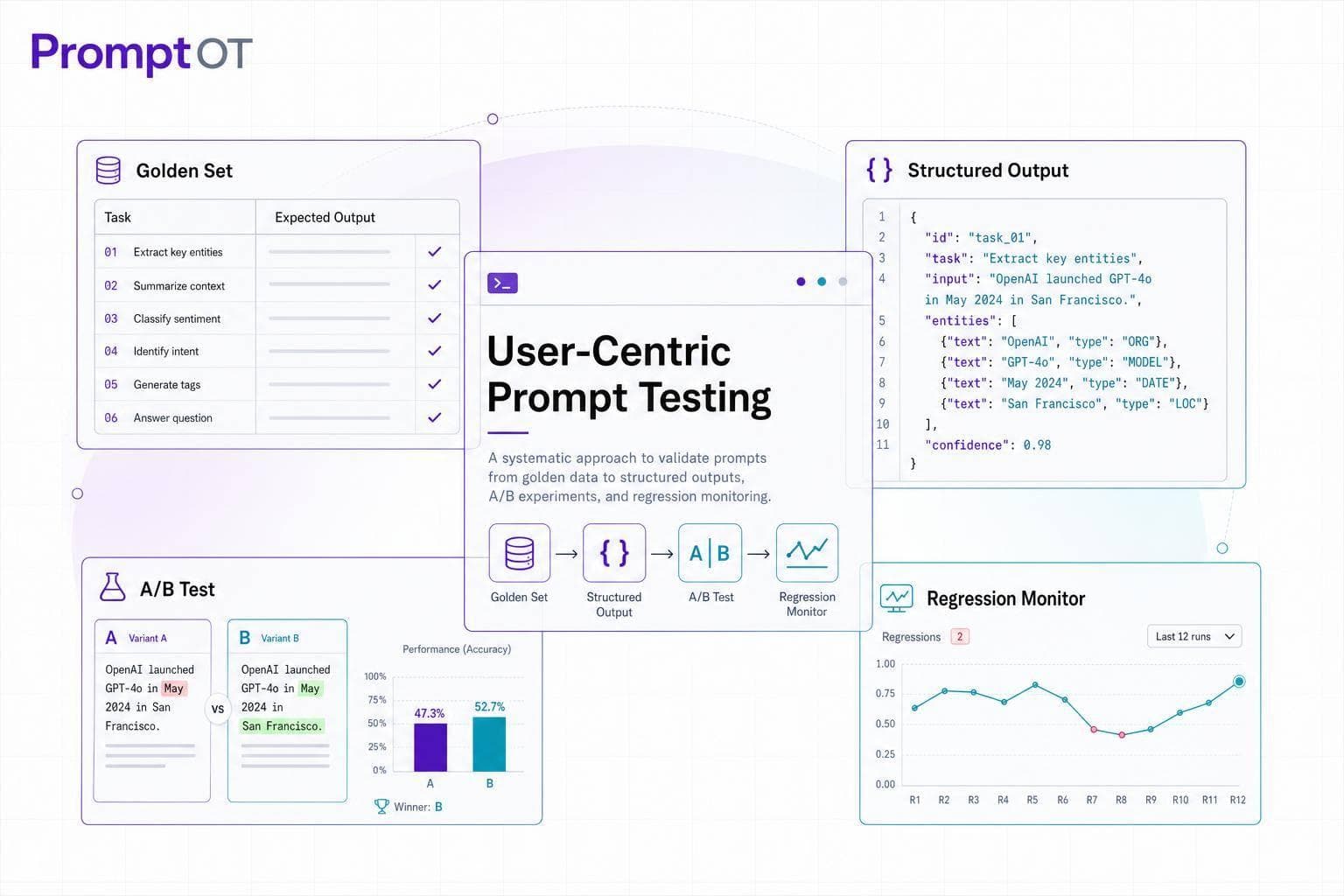
If I don’t test prompts against how people actually use them, I’m guessing. The article’s core point is simple: I should treat prompts like product logic - set clear pass/fail rules, keep a fixed test set, compare versions in a controlled way, and watch for regressions after release.
Here’s the short version:
- I start with a golden set of 20–50 examples, then grow it to 100–200 over time.
- I test across happy path, edge, and adversarial inputs.
- I score outputs using task-based checks like accuracy, consistency, schema validity, and user outcome metrics such as resolution rate or acceptance rate.
- I use human review or an LLM judge for things automation misses, like tone, clarity, and helpfulness.
- I run A/B tests with the same model, temperature, seed, and max tokens so the prompt is the only thing that changed.
- I version prompts, add production failures back into the test set, and gate releases when quality drops.
A few numbers stand out. The article says structured output can hit 99.9% schema adherence with JSON Schema, compared with under 70% from unconstrained generation. It also notes that reviewing only 5–10 samples can miss a 20% drop in quality about one-third of the time. And for subjective grading, LLM judges can match human reviewers 80%+ of the time on some benchmarks.
What I like here is the shift in focus: not “Did the model reply?” but “Did the user get what they needed?” That means defining who the user is, what success looks like, what failure types matter, and how prompt changes move those numbers.
My takeaway: prompt testing works best when it is tied to user tasks, based on live usage data, and built into release workflow from day one.
Core Concepts of User-Centric Prompt Testing
Identifying Users and Use Cases
Before diving into test creation, it’s crucial to understand who your users are and what they aim to achieve with your prompt. Use data sources like production traffic, support tickets, and beta logs to guide you. Be sure to sample across a variety of scenarios - different intent types, user tiers, languages, and complexity levels. Include not just common use cases but also edge cases, boundary scenarios, and real-world production incidents. These examples should form the foundation of your permanent test cases and define the criteria for passing or failing.
Defining User-Centric Success Metrics
Focus on measuring user outcomes rather than just technical performance. For every user task, write a one-paragraph specification that clearly defines what constitutes a "pass" and a "fail". When failures occur, classify them into specific categories like format issues, hallucinations, over-refusals, context loss, or task drift - avoid vague labels like "bad output". Begin with a "golden set" of 20–50 real-world examples to serve as a fixed reference point, and expand it to 100–200 examples as your prompt evolves. Once success metrics are in place, structure your prompt to make isolating failures straightforward.
Designing Prompt Structures That Are Easy to Test
A well-organized prompt structure simplifies failure tracing and test automation. Modularize your prompts so that each failure can be linked to a specific block. Divide the prompt into distinct components: context, instructions, guardrails, and output format. When each block serves a clear, singular purpose, pinpointing the source of a failure becomes much easier. For structured outputs like JSON or YAML, start with deterministic checks like schema validation and regex before moving to model-based grading. Treat your prompt versions and golden sets like code - ensure they’re version-controlled, well-documented, and updated whenever a new production issue arises.
sbb-itb-b6d32c9
Building and Running Prompt Tests
Building Test Sets That Reflect Real Use
To create effective test sets, start with real-world data: production logs, support tickets, and feedback from beta users. Organize the data by categories like intent, user tier, complexity, and language. Then, structure the test cases into three main groups:
- Happy Path: These are the typical, expected inputs where everything works as planned.
- Edge Cases: These involve unusual but valid scenarios, often pushing the boundaries of normal use.
- Adversarial Cases: These include ambiguous queries or attempts to break the system, such as jailbreak attempts.
This approach ensures comprehensive coverage of the scenarios your users are likely to encounter.
Whenever a production incident or user complaint arises, add it to your permanent test set. Assign someone to review and update this set quarterly to keep it aligned with evolving user behavior and product updates. These cases then serve as a foundation for scoring and benchmarking.
Quantitative Metrics for Prompt Evaluation
Once your test set is ready, evaluate each case using task-specific metrics. Start with accuracy and consistency as priorities, and tailor the remaining metrics to the task at hand. Pay special attention to prompts with scores that vary significantly across runs, as they may indicate instability.
For structured outputs like JSON, higher standards are required. For example, OpenAI's use of JSON Schema achieves 99.9% schema adherence, which is a massive leap from the less than 70% adherence seen with unconstrained generation. The specific metric you use depends on the feature type. Here's a quick guide:
| Feature Type | Primary Quantitative Metric |
|---|---|
| Support bot | Resolution rate (no follow-up within 24 hours) |
| Writing assistant | User acceptance rate (accept vs. edit) |
| Code assistant | Code accepted without modification |
| Data extraction | Accuracy against labeled ground truth; schema validity |
When automated scoring falls short - particularly for subjective factors like tone, helpfulness, or reasoning - use large language models (LLMs) as evaluators. Advanced models like GPT-4o or Claude 3.5 Sonnet can grade outputs against a defined rubric, and studies show they align with human evaluators over 80% of the time for subjective benchmarks. A practical method involves a two-step process: first, a fast keyword filter catches obvious failures, such as responses like "I don't know" or "cannot help", and then borderline cases are sent to an LLM judge.
Combining automated scoring for broad coverage with human review for nuanced judgment creates a well-rounded evaluation process.
Collecting Qualitative User Feedback
When automated metrics can't fully assess elements like tone or clarity, manual review becomes essential. Start by defining a clear rubric that focuses on areas where automation struggles, such as tone, clarity, brand voice, helpfulness, and groundedness. Use specific yes/no questions instead of vague prompts. For instance, "Does the explanation avoid technical jargon?" is much clearer than asking, "Is this helpful?".
For open-ended tasks like summarization or creative writing, pairwise comparisons can uncover subtle differences that single-output scoring might miss.
Regularly spot-check 5–10% of automated evaluations against human judgments to detect issues like rubric drift or model bias before they escalate. For critical use cases, manually reviewing borderline outputs before deployment should be non-negotiable.
These labeled outputs can then serve as benchmarks for A/B testing and prompt iteration, feeding directly into the experimentation process outlined in the next steps.
Evaluation Engineering: Iterative Strategies to Testing Prompts
Running Experiments and Refining Prompts
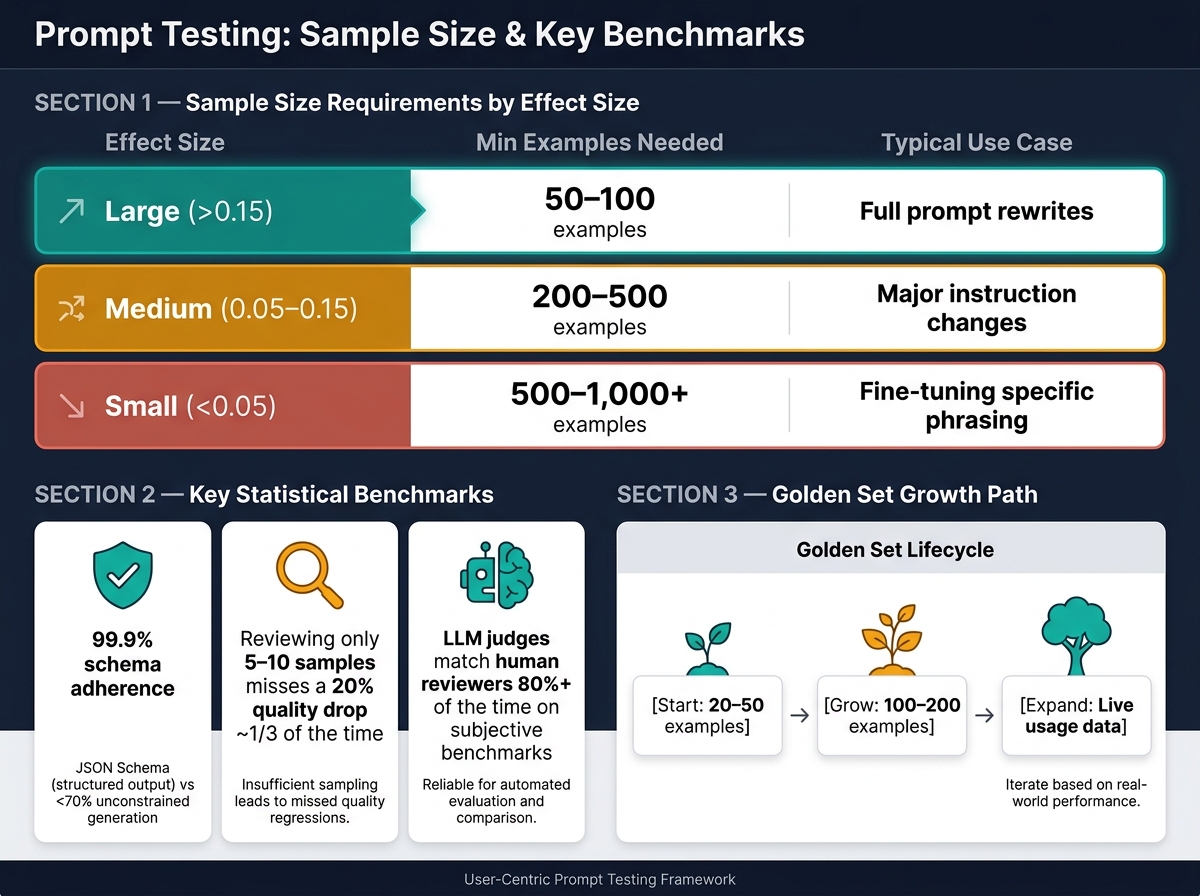
Prompt Testing Sample Size & Effect Size Guide
A/B Testing Prompt Variants
Once your benchmark is established, it's time to conduct controlled experiments. Use the same benchmark set to compare different prompt versions directly.
The golden rule? Keep everything constant except the prompt text. This means the model ID, temperature, seed, and max tokens must remain unchanged. If you tweak any of these, it becomes impossible to pin down whether the changes in performance are due to the prompt or other factors.
For traffic splitting, rely on hash-based assignment methods, such as hash(experiment_id + user_id). This ensures users consistently see the same variant across sessions without requiring a database lookup. If you're testing in production, run the new variant in the background alongside the current prompt, using identical inputs, before showing it to users.
Be cautious about small sample sizes - they can lead to misleading results. For example, manually reviewing just 5–10 examples can overlook a 20% quality drop one-third of the time. The sample size you need depends on the effect size you're aiming to detect:
| Expected Effect Size | Minimum Examples Required | Typical Use Case |
|---|---|---|
| Large (>0.15) | 50–100 | Full prompt rewrites |
| Medium (0.05–0.15) | 200–500 | Major instruction changes |
| Small (<0.05) | 500–1,000+ | Fine-tuning specific phrasing |
When comparing metrics for the same inputs, use paired t-tests or the Wilcoxon signed-rank test. If you're evaluating multiple metrics simultaneously, apply the Bonferroni correction to adjust for false positives - divide your alpha value by the number of tests. For instance, testing three metrics at α = 0.05 without correction increases the chance of at least one false positive to 14%.
Define your primary metric before starting the test. Choosing the most favorable metric after the fact isn’t evaluation - it’s cherry-picking. Combine your p-value with Cohen's d to assess practical significance. A p-value below 0.05 with a Cohen's d under 0.2 might indicate a statistically real difference, but one that's too small to matter in practice.
Integrate your A/B tests into your CI/CD pipeline. This allows you to block deployments if a candidate prompt underperforms, such as dropping task accuracy by more than 2% compared to the baseline.
Using Modular Prompt Components
Break your prompts into distinct parts - role, context, instructions, examples, guardrails, and output format - and test each component individually. If you change multiple sections, like swapping examples and rewriting instructions in the same test, you won’t know which adjustment caused the results. Using {{placeholders}} for user inputs or retrieved context ensures the core structure of the prompt stays consistent while runtime values can vary.
When a single change impacts performance, focus on isolating and testing that specific block. This modular approach makes it easier to pinpoint issues and refine specific components.
Using PromptOT to Run Prompt Experiments
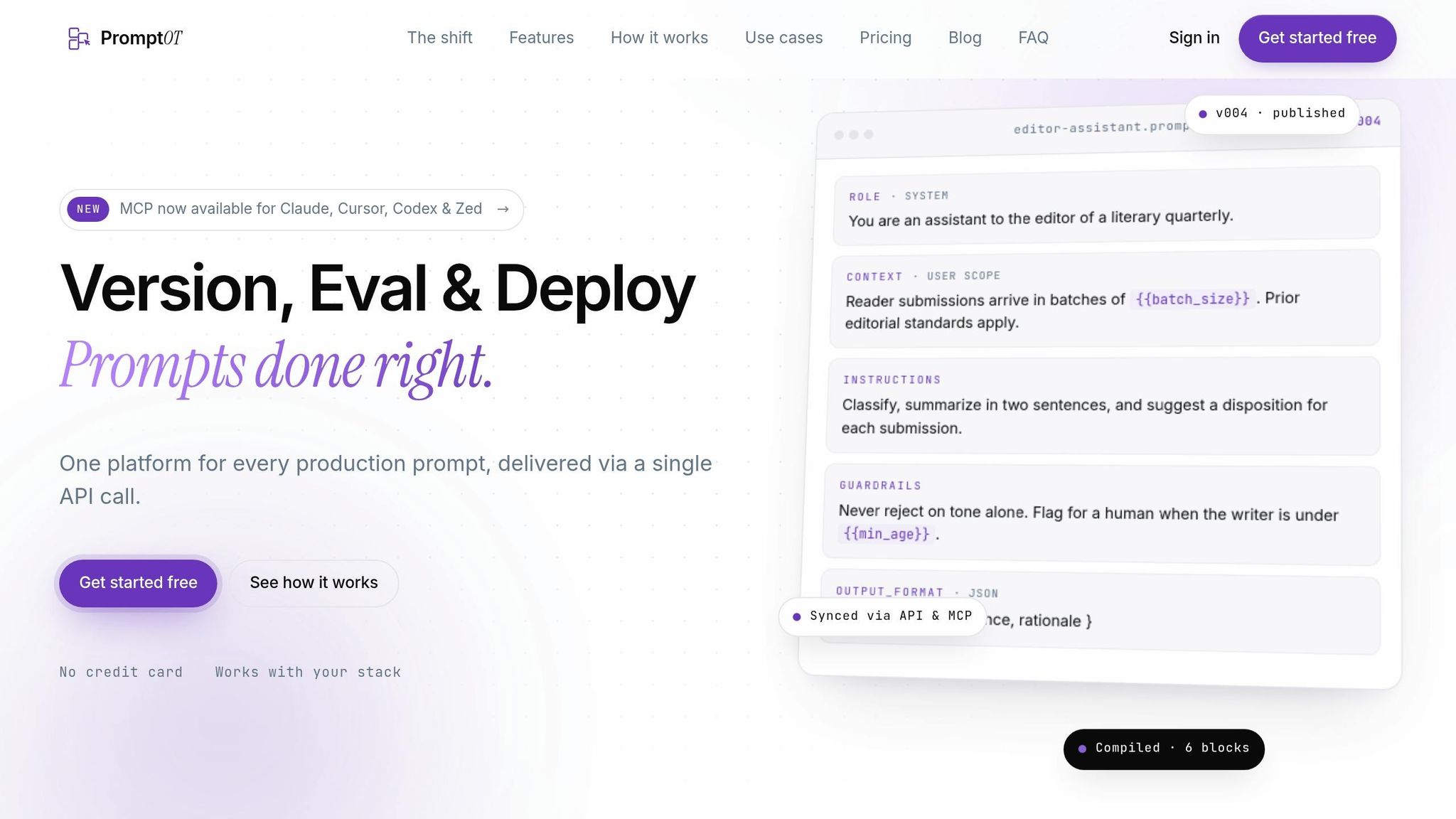
PromptOT simplifies this entire process by managing prompt blocks, versions, and runtime values in one place. Prompts are built from typed blocks that can be edited independently, allowing you to test one component without affecting the rest of the prompt. Each change creates a new version with draft and published states, and you can instantly roll back if a variant performs poorly.
Environment-scoped API keys let you experiment safely in development or staging environments without exposing untested prompts to live users. Once a prompt variant is validated, you can promote it to production with confidence. PromptOT also supports block rewriting, enabling you to generate alternatives for weaker components, test them through your evaluation pipeline, and commit only when satisfied. The platform handles variable interpolation with {{placeholders}} at runtime via a single API call, and it’s compatible with providers like OpenAI, Anthropic, and Google, making it flexible across different systems.
Scaling Prompt Testing Across Teams
Governance and Safety in Prompt Testing
Once prompt tests work on one machine, the work shifts. Now you need shared ownership, review, and release controls across the team. In plain terms: governance stops prompt work from turning messy.
Treat prompts like versioned assets in a central registry. Each prompt should have a named owner, a semantic version, a target model, clear input and output contracts, and known failure boundaries. That setup makes reviews auditable across teams.
Risk-based review levels also matter. Not every prompt needs the same level of scrutiny. A low-risk internal drafting tool shouldn't go through the same process as a customer-facing summary or an automated decision in a regulated domain. For high-risk prompts, safety testing should cover adversarial inputs such as jailbreak attempts, prompt injections, and intentionally ambiguous queries.
When something fails in production, don't just patch it and move on. Sanitize the failure or escalated ticket, then add it to the golden set as a regression case. That gives teams shared ownership of past incidents and helps stop the same failure from slipping through twice.
Managing the Prompt Release Process
Meaningful prompt changes should go through pull requests. After release, keep regression suites and production monitoring turned on. That's the part teams often skip, and it usually comes back to bite them.
Manual review doesn't hold up well when release volume gets large, so teams should automate regression checks as review load grows. This makes prompt testing part of the release process instead of a one-time review.
PromptOT supports this with version history, draft and published states, instant rollback, and role-based access. That makes it easier to audit changes and move prompts into production with care.
Scaling Testing Across Teams and Use Cases
With governance in place, the next step is making prompt tests reusable across teams. One simple way to do that is with reusable templates that use {{placeholders}}. This lets teams test the same prompt structure across products, segments, and models without rewriting everything from scratch.
Standard scoring rubrics help too. A weighted 0-to-1 scale with binary-checkable criteria, such as "Returns valid JSON" or "Stays within topic scope," gives teams a shared way to score output.
A shared operating model keeps ownership clear:
| Role | Core Responsibility |
|---|---|
| Prompt Owner | Maintenance and version updates |
| Domain Expert | Defining "good" and scoring |
| AI SDET | CI/CD integration and automation |
| Org Admin | Access control and governance |
The last piece is provider-agnostic prompt design. Testing prompts across model families like GPT, Claude, and Gemini helps catch silent regressions caused by provider updates. It also lowers the chance of getting stuck with one model family.
Conclusion and Key Takeaways
When you put user-focused testing, experimentation, and governance together, prompts are far more dependable in production. User-focused testing turns prompt updates into something you can measure instead of something you just hope works.
Start with a 20–50 example golden set. Set pass/fail rules before you test. Then expand coverage as usage grows, and gate releases based on regression scores. That kind of discipline is what makes prompt work repeatable across teams.
The key takeaway is simple: define success, test against real cases, and keep prompts monitored after release. If your team manages that workflow, PromptOT keeps prompt structure, versions, and runtime variables in one place - so prompts stay reliable as usage grows.
FAQs
How do I choose the right examples for a golden set?
Choose a small set of examples first, usually 20 to 50. The goal isn’t to collect a giant pile of prompts. It’s to build a set that puts the system under real pressure.
That set should be diverse, representative, and challenging. In plain English, it needs to reflect how people actually use the product, where the model tends to slip, and the kinds of inputs that try to push it off course.
A good starting mix includes:
- common user intents
- boundary cases
- adversarial inputs
Use examples from actual production traffic when you can. If that’s not available, use realistic scenarios that match how people ask for help in practice. Good sources include past failures, support tickets, and user queries. Those examples often show the gap between what a team thinks users do and what users actually do.
It also helps to group the set so it’s easier to review and maintain. A simple structure works well:
- Common use cases: the requests you expect every day
- Edge cases: odd wording, incomplete context, conflicting instructions, or rare inputs
- Adversarial inputs: attempts to confuse, bypass rules, or trigger bad output
Then keep the set alive. Review it on a regular basis and update it as new failure modes show up. That way, your evaluation set stays tied to the product people are using now, not the one you shipped six months ago.
When should I use human review instead of automated scoring?
Use human review when the work calls for nuance or when you're setting the bar for quality. It's especially useful for building a golden set, writing clear criteria, sorting out gray-area cases, and judging things that are hard to score by rule alone, like helpfulness, tone, or correctness.
Human review also makes sense for routine spot-checks on 5–10% of verdicts. That gives you a simple way to see whether automated scoring still lines up with human judgment.
Automated scoring tends to work best after the criteria are clear and steady.
How often should I update prompt tests after launch?
Update prompt tests regularly after launch. A practical cadence is monthly or quarterly.
Your test set shouldn’t stay frozen. Refresh it with recent failures and edge cases, then re-run regression tests before every prompt or model change.
You should also update tests when there are major model updates, policy changes, or shifts in user behavior. When something breaks in production, turn that failure into a permanent regression test. Then keep adding new edge cases over time.