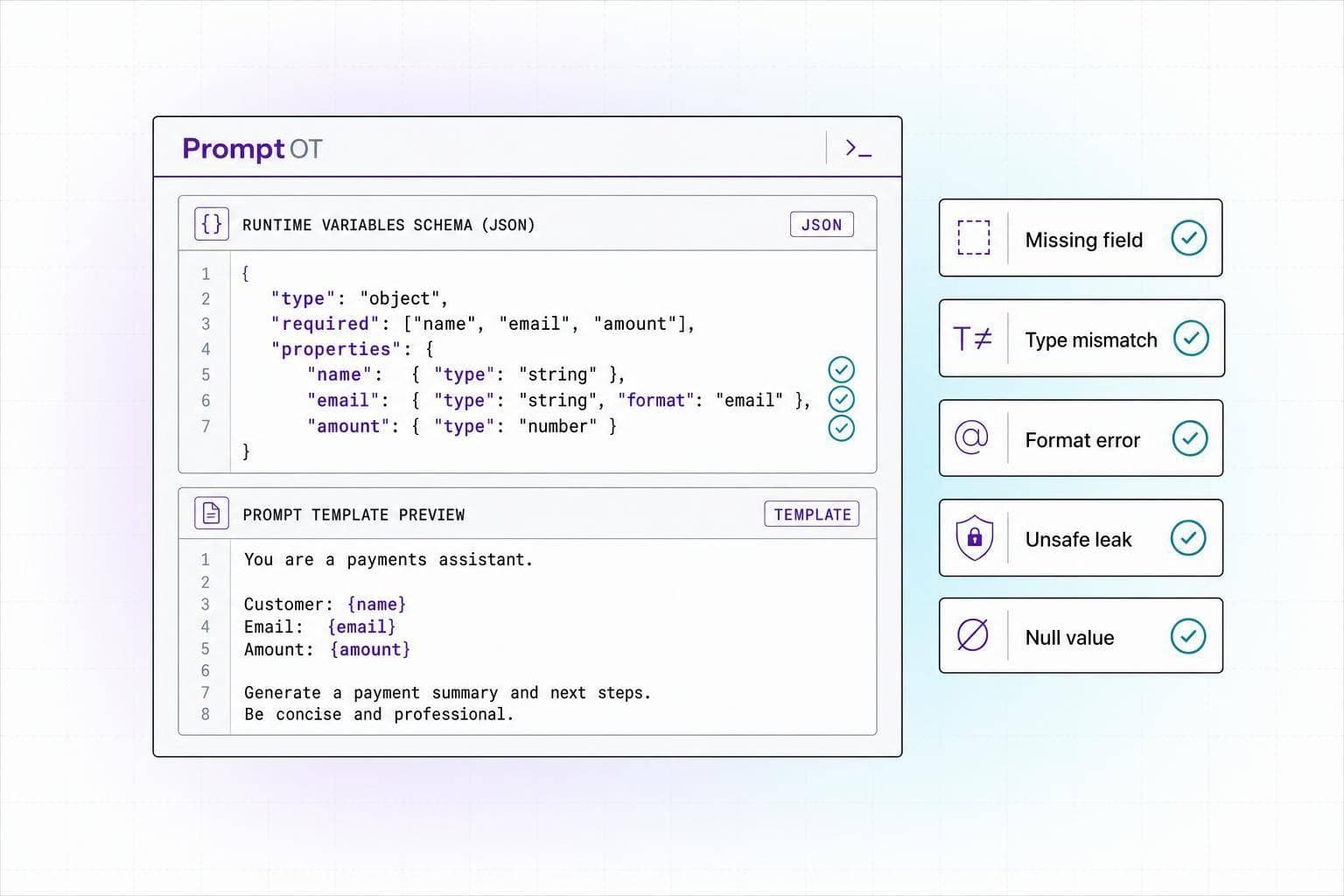
Most prompt bugs come from five simple problems: missing variables, bad formatting, data leaks, broken prompt structure, and weak testing.
If I had to boil the article down to one takeaway, it would be this: runtime variables fail less when I treat them like typed, checked input data instead of loose text. That means I validate required fields, format values before interpolation, keep secrets out of prompts, escape risky input, and test with messy production-like payloads.
Here’s the whole article in one quick list:
- Missing variables can leave raw placeholders like
{{account_balance}}in prompts or trigger runtime errors. - Bad formatting can confuse the model. For example,
03/04/05,1250, or2:00can all mean the wrong thing without context. - Sensitive values like SSNs, tokens, and medical notes can leak into prompts, logs, and traces.
- Prompt structure can break when variable values include quotes, braces, backticks, or oversized text.
- Weak testing and monitoring let silent failures slip into production, where outputs may look fine but still be wrong.
One stat-like reality stands out here: all 5 issues show up before the model even starts generating. So if I fix the input layer, I cut a large share of prompt reliability problems at the source.
Quick comparison
| Issue | What goes wrong | Main fix |
|---|---|---|
| Missing variables | Unresolved placeholders, empty instructions, runtime errors | Validate required keys and scan rendered prompts |
| Bad formatting | Dates, money, time, and units become unclear | Normalize values in code before interpolation |
| Sensitive data leaks | PII, PHI, or secrets get sent to the model or logs | Mask, redact, or never interpolate secret values |
| Broken structure / env drift | User input damages prompt layout; dev and prod behave differently | Escape input, pin versions, and use shared variable schemas |
| Weak testing / monitoring | Silent prompt bugs reach production | Test edge cases and monitor rendered prompts, hashes, and token counts |
If you work with production prompts, this is the short version: check the variables, clean the values, protect the data, lock the structure, and watch what ships.
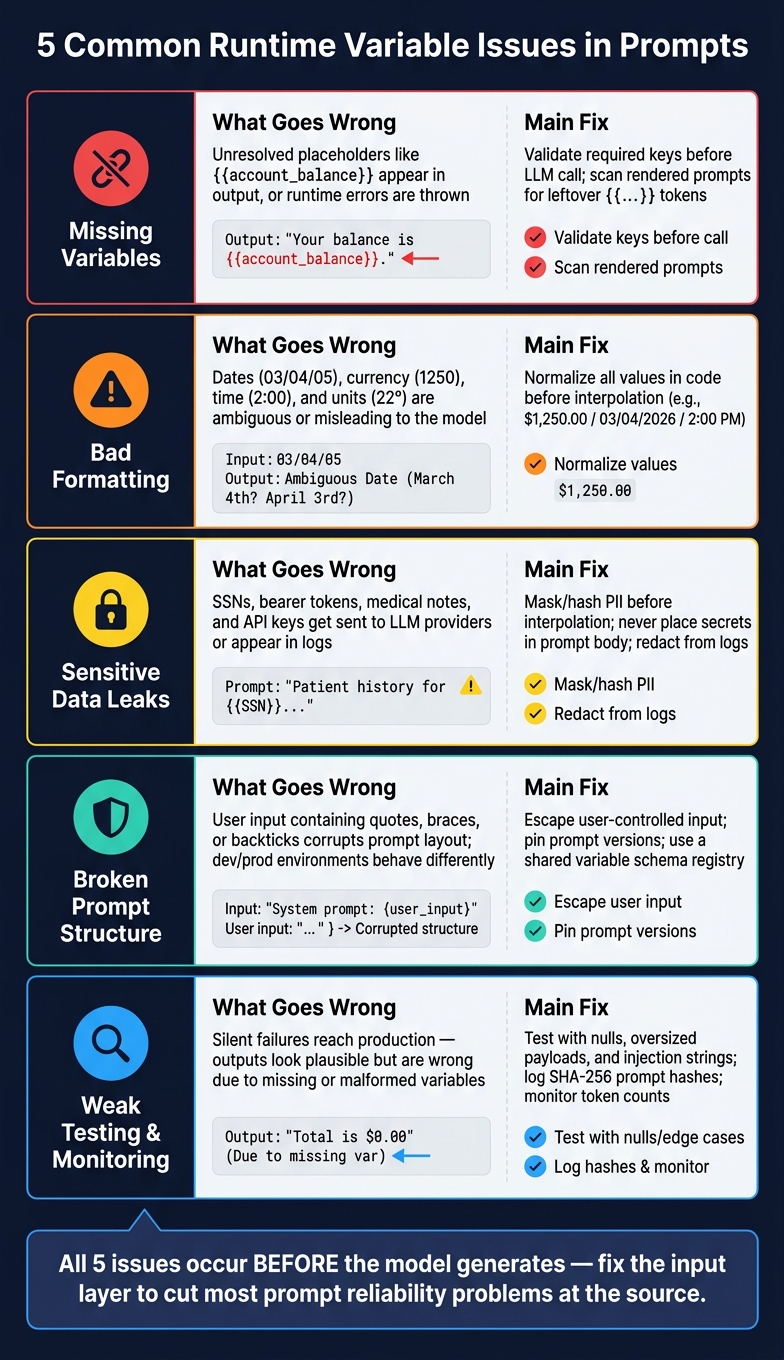
5 Common Runtime Variable Issues in Prompts: Causes & Fixes
1. Missing or unresolved variables at runtime
How this shows up in production
Missing variables tend to show up in plain sight: visible placeholders, empty fields, or runtime errors.
Sometimes the failure is quiet, which is worse. A system may render a missing variable as an empty string, so something like {{output_format}} disappears entirely. When that happens, the model loses the instructions that shape the reply and may fall back to generic or off-topic output.
If the prompt doesn't block guesswork, the model may fill in the gaps with invented context. And if internal placeholder names don't resolve, those raw field names can end up in user-facing text.
Why variables go missing and how to fix it
Most misses come from simple drift between prompts and code. {{userName}} won't bind to user_name, and renamed placeholders break the moment one side changes without the other. Frameworks like LangChain (v0.3+) are strict here and throw an error when a declared variable is missing.
A few habits help a lot:
- Validate required keys before the LLM call.
- Fail fast for critical variables.
- Use explicit defaults only for non-critical fields.
- Check rendered prompts at startup.
- Scan for leftover
{{...}}tokens after interpolation.
Table: symptoms, causes, and detection methods
| Symptom | Likely Root Cause | Detection Method |
|---|---|---|
Literal {{variable}} in model output |
Naming mismatch (e.g., {{userName}} vs user_name) or missing key in payload |
Schema validation against declared input_variables |
| Model ignores formatting rules | A formatting variable is rendered as an empty string | Prompt logging and inspection of resolved strings |
| Model invents plausible but wrong details | Missing context variable with no explicit "stop if missing" instruction | Golden-output regression tests |
KeyError or ValueError at runtime |
Missing key in the input dictionary passed to the interpolation engine | Pre-flight check comparing input keys against required template variables |
| Internal field names in user-facing output | Unresolved placeholder treated as literal text by the model | Post-interpolation regex scan for remaining {{...}} patterns |
| Literal placeholder remains in output | Placeholder not bound or render step skipped | Regex scan for remaining {{...}} tokens |
Even if every variable resolves, the prompt can still break when the value itself is formatted poorly.
sbb-itb-b6d32c9
2. Incorrect variable formatting and U.S. localization
Formats that confuse models and users
A resolved variable can still be wrong. Resolution alone isn't enough. The value also needs to be clear before interpolation.
Dates are the easiest place to see this break down. 03/04/05 is vague. Without a full year and a clear order, the model loses track of time, which can throw off reports, emails, and time-sensitive plans.
Currency causes the same kind of mess. If you pass 1250 into a prompt, the model gets no clue that it's money. Temperatures run into this too. A raw 22 in an en-US prompt needs a unit. Without one, the model may give advice that doesn't fit the actual weather or setting. The same issue shows up with measurements. When metric and imperial units are mixed, the model has to sort out clashing spatial data.
Standard formats to enforce before interpolation
The fix needs to happen at the application layer, before the value goes into the prompt. Dates should be normalized to MM/DD/YYYY. Currency should include the dollar sign, comma separators, and two decimal places: $1,250.00. Temperatures should be converted to °F for en-US prompts. Measurements should use imperial units - in, ft, lb, and mi - and the unit should always be attached to the number.
Server-side interpolation puts validation and formatting in one place before the prompt reaches the LLM. That keeps the rules the same across every request.
Table: bad formats vs. correct U.S. formats
| Variable Type | Bad Format | Correct en-US Format | Likely Impact on Model Reasoning |
|---|---|---|---|
| Date | 03/04/05 |
03/04/2026 |
Ambiguity between month and day can cause scheduling or deadline errors |
| Currency | 1250 |
$1,250.00 |
Model may treat the value as a raw count or ID rather than money |
| Temperature | 22 (intended as Celsius) |
71.6°F |
Model may provide advice that doesn't match the actual temperature in an en-US context |
| Measurement | 5km |
3.1 miles |
Mixed units can distort spatial reasoning |
| Time | 2:00 |
2:00 PM |
AM/PM ambiguity can lead to scheduling errors |
3. Sensitive data leaks through prompt variables
Even when variables resolve the way you expect, they can still leak data you never meant to send. Runtime variables may contain Social Security numbers, bearer tokens, or medical notes. So prompt variables aren't just a handy dev shortcut. They're part of your attack surface.
Common leak paths in LLM applications
The most obvious problem shows up when secrets are placed right inside prompt templates. If a developer puts something like ${ADMIN_KEY} into a system prompt, that credential gets sent to the LLM provider on every request. And if full prompt logging is turned on, interpolated SSNs, medical notes, and bearer tokens may end up visible to anyone with dashboard access.
There's also a quieter risk with placeholders like {{retrieved_context}} or {{retrieved_documents}}. These often pull data from vector databases. That means internal notes or PHI can slip into the prompt body and then get copied into logs, traces, or provider-side storage.
Safer handling rules for sensitive placeholders
Start by classifying each variable before interpolation. {{current_date}} is low risk. {{ssn}} is not. That one step makes the rest of the decision much simpler.
For sensitive PII, mask or hash the value before it enters the prompt. For secrets and credentials, don't place them in the prompt body at all. Send them through server-side tool handlers or opaque handles instead. On the logging side, set up your observability pipeline to store metadata or hashes rather than full prompts when regulated data is involved.
Table: variable risk levels and handling rules
| Variable Category | Realistic Examples | Handling Rule |
|---|---|---|
| Public | {{current_date}}, {{output_language}}, {{product_name}} |
Safe to interpolate and log. |
| Internal | {{user_tier}}, {{internal_id}}, {{policy_region}} |
Use verified server-side lookups; log metadata only. |
| Sensitive (PII/PHI) | {{user_email}}, {{ssn}}, {{medical_notes}} |
Mask or hash before interpolation; redact from logs. |
| Secrets/Credentials | {{api_key}}, {{bearer_token}}, {{db_password}} |
Never interpolate. Use server-side secret managers or opaque handles. |
4. Variables that break prompt structure or behave differently across environments
Even when a variable resolves the way you expect, the value itself can still wreck the prompt.
How variable content corrupts prompt structure
A prompt can break even when interpolation works. Braces, backticks, and quotes can clash with template syntax and damage the final render. JSON prompts tend to fail right away when a field name changes or a required value comes through empty. The safe move is simple: escape user-controlled input, set length limits on variables, and treat every slot as data, not instructions.
The same issue shows up when a prompt works in development but falls apart somewhere else.
How environment drift creates hidden failures
A prompt that passes in development can fail in staging or production when the variable set changes. Development data is often clean and limited. Production data is messier. Values may be null, too long, or shaped in a different way.
Naming mismatches make things worse. If one service sends {{user_query}} and another sends {user_query}, the placeholder may slip through untouched. And if you don't log the prompt ID, version, and checksum at inference time, tracking down the failure later can turn into a headache.
The day-to-day controls are pretty straightforward:
- Pin exact prompt versions in deployment config
- Define each variable with a name, type, and required flag in a shared registry
- Store production-shaped test payloads with the prompt so you can run the same inputs across development, staging, and production
| Failure Type | Root Cause | Recommended Control |
|---|---|---|
| Structural corruption | Quotes, braces, or backticks in user input | Safe templating or escaping rules |
| Schema mismatch | Renamed fields in template vs. calling code | Versioned variable schemas and load-time validation |
| Token overflow | Oversized retrieved context or tool outputs | Max-length rules and summarization before interpolation |
| Environment drift | Unpinned prompt versions | Explicit version pinning and environment-scoped API keys |
| Brace escaping mismatch | Inconsistent delimiter syntax across services | Enforce a single interpolation syntax and validate at load time |
Where PromptOT helps
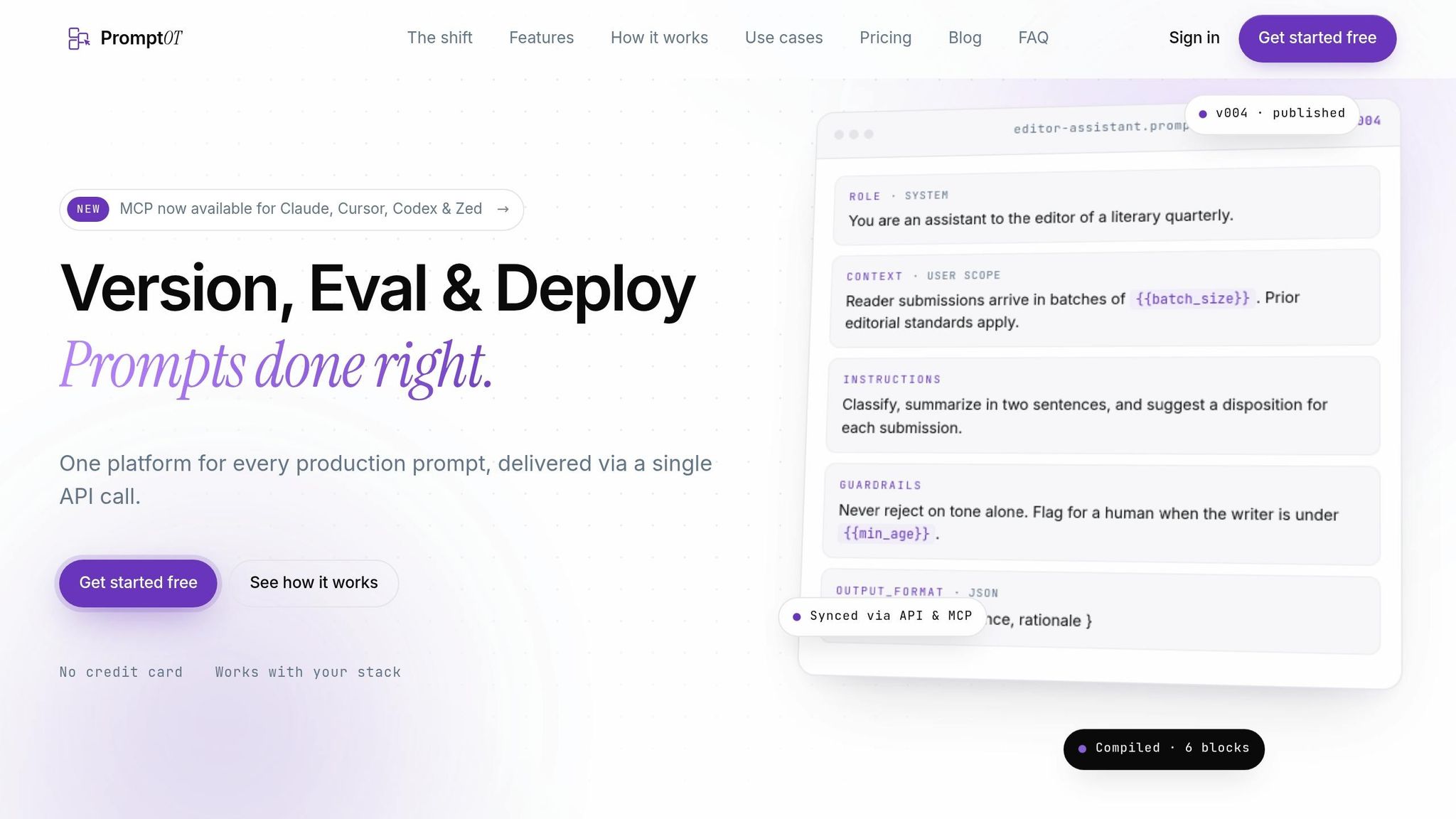
Structured prompt assembly cuts down on both syntax breakage and environment drift.
PromptOT helps reduce structure breakage with typed blocks and server-side interpolation, so a malformed or oversized variable can't damage the rest of the prompt. Version history, rollback, and environment-scoped keys also help keep variable definitions and prompt setup in sync across development and production.
5. Weak testing and monitoring around runtime variables
Even when interpolation rules are set up the right way, weak testing still lets variable bugs slip into production. Missing variables, bad formatting, exposed sensitive data, and environment drift can all make it through if no one is checking for them. And that’s the hole that lets every other issue on this list reach production without setting off alarms.
Why variable bugs escape development
Most teams test neat, tidy inputs. Production is rarely that polite.
In live traffic, you get nulls, empty strings, oversized context, dropped session IDs, and reruns. But many teams only test the happy path, so the messy cases show up late.
Prompt failures can also stay quiet. The model may accept missing or conflicting variable content and still return something that looks fine. That’s the dangerous part: the answer can sound plausible while still being wrong.
Testing helps catch bad inputs before release. Monitoring catches the ones that still sneak through.
Testing and monitoring controls to add
Before deployment, test inputs that look like production, not just clean demo cases. That means nulls, empty strings, oversized payloads, prompt-injection strings, and multilingual text. If you use structured output prompts, run JSON schema validation after interpolation so schema-breaking values get caught before they hit the LLM.
Validate placeholders at startup or load time instead of waiting for the first live request to fail. Also log the exact prompt version and a SHA-256 hash for each run. That makes environment drift much easier to spot.
These checks help catch missing data, malformed output, and drift early. At runtime, scan traces for literal placeholder text in rendered prompts. If you see that, a variable likely wasn’t resolved. It also helps to track prompt token count for spikes. Large RAG context or tool output can make prompts much bigger than what you saw in development, which can lead to latency spikes and surprise cost overruns.
PromptOT’s version control and server-side interpolation help keep rendered prompts aligned across environments.
Table: test coverage and monitoring checks
| Control Area | What to Test or Monitor | Production Issue Detected Early |
|---|---|---|
| Required variable presence and unresolved placeholders | Required-flag validation; StrictUndefined mode at render time; literal placeholder text in rendered prompt traces |
Silent quality drops from missing data, typos, or unresolved variables reaching the LLM |
| Boundary values | Nulls, empty strings, and oversized payloads | Context window overflows and logic crashes |
| Schema validation | JSON schema validation on structured outputs | Broken downstream application logic after variable changes |
| Security / injection | Prompt-injection strings, multilingual text, and user content in the system role |
Instruction overrides and structural prompt corruption |
| Prompt token count | Token count at p95 and p99 per variable | Oversized RAG context causing latency and cost overruns |
| Instruction-following scores | Adherence scores across variable cohorts | Variable content overriding system instructions |
| Environment drift | SHA-256 hash comparison across dev, staging, and production | Inconsistent prompt versions causing hard-to-reproduce failures |
| Session state | Presence of sessionId and _conversation variables during reruns |
Template render errors in multi-turn or agentic flows |
Conclusion: A checklist for reliable runtime variable handling
All five failures can be avoided. The fix usually comes down to a few plain habits: validate inputs before the call, format values safely, handle sensitive data with care, and test changes before release.
Use this checklist before launch to catch the five failure modes early.
Core controls to put in place first
The controls below map straight to the five issues above.
Start with a variable schema for every placeholder: name, type, and required flag. Before the LLM call goes out, check that every required variable is present, non-empty, and matches the expected type.
Format dates, currency, and numbers in code before interpolation.
Sort each variable by sensitivity and keep secrets out of the prompt body. Always escape special characters in user-supplied content - for example, convert { to {{ - to cut the risk of accidental instruction injection.
Log prompt ID, version, and SHA-256 hash instead of raw prompts.
Production controls that prevent regressions
Pin prompt versions in deployment config. Never use "latest" in production. Use environment-specific configurations so dev, staging, and production can differ without changing the core template.
Before you promote a prompt change, run it through a regression test suite with representative inputs and golden outputs.
Keep rollback ready for variable-contract regressions.
For teams using PromptOT, runtime interpolation and version control fit this workflow directly. PromptOT helps keep variable interpolation and version control consistent across environments.
FAQs
How do I validate prompt variables before runtime?
Validate prompt variables when you build or register the template, not later at runtime. Set up each variable’s name, required status, and type in a registry or model so missing, undefined, or unused fields get flagged when the template is created.
In production, use a helper that checks declared template variables against the input dictionary before the API call. Also add CI checks so required variables are declared and present before deployment.
What data should never be passed into a prompt variable?
Never pass user-provided text or data that contains instructions into a prompt variable. If you place outside content, like user input, retrieved documents, or tool output, inside system-level instructions, you open the door to prompt injection.
Keep system rules static in PromptOT templates, and put changing data into the slots made for it. Also, don’t reuse variable names across templates when those variables serve different jobs.
How can I test prompt variables with real-world edge cases?
Build a golden dataset of 50 to 200 examples pulled from production logs, support tickets, and beta logs. The goal is simple: give yourself a test set that reflects what people actually do, not just the clean examples you wish they used.
Include a mix of:
- happy paths
- edge cases
- adversarial cases
In PromptOT, set default placeholder values so missing fields don’t cause failures. Then use the variables parameter to inject a range of test inputs and stress the prompt from different angles.
Also check for the failure points that tend to slip through at first:
- empty values
- oversized values
- missing data
- type mismatches